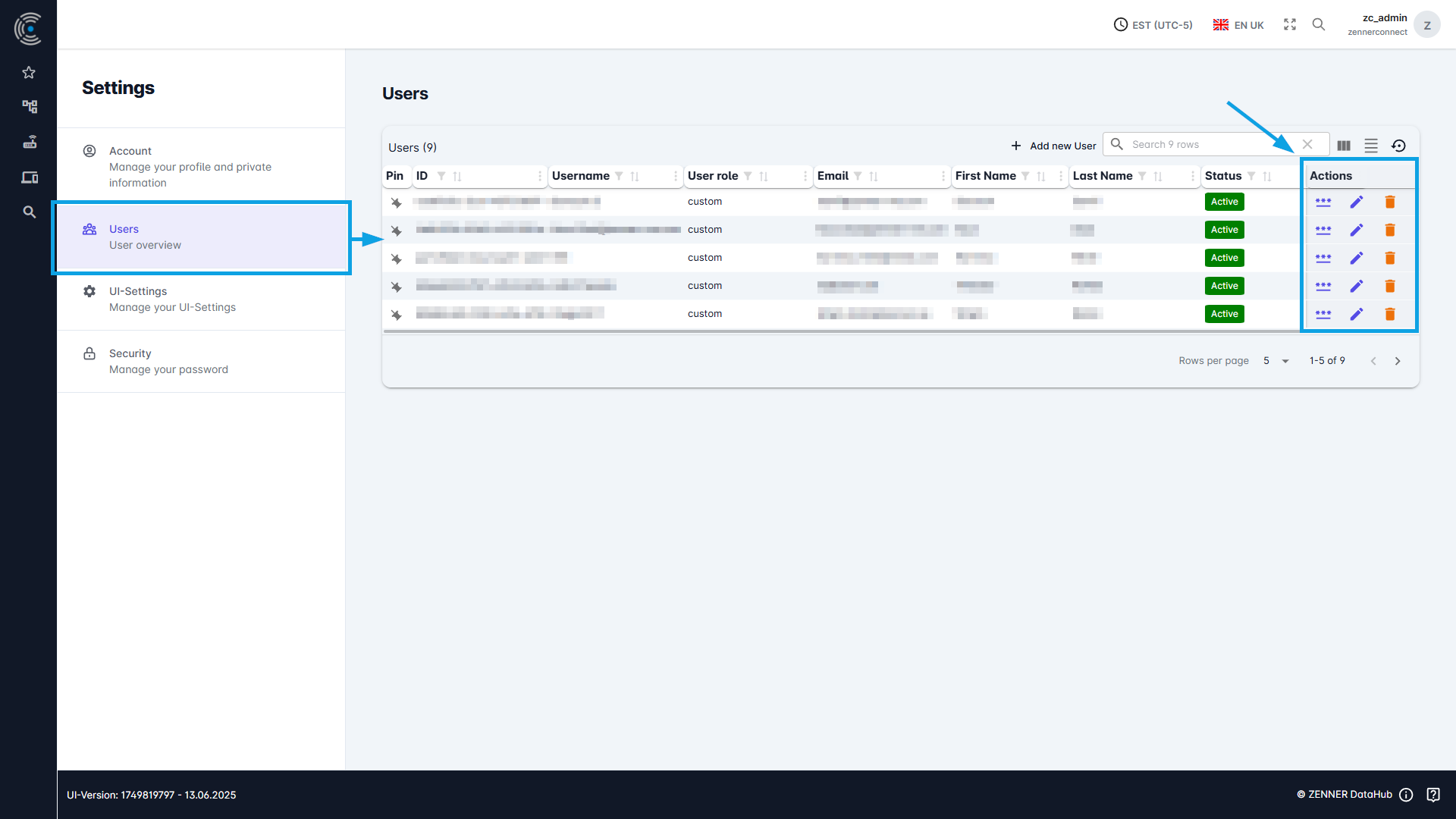
User information and individual permissions for existing users are viewable and manageble on the “User Settings” page. This page can be accessed via the dropdown menu that appears when you click on your username in the top right-hand corner.
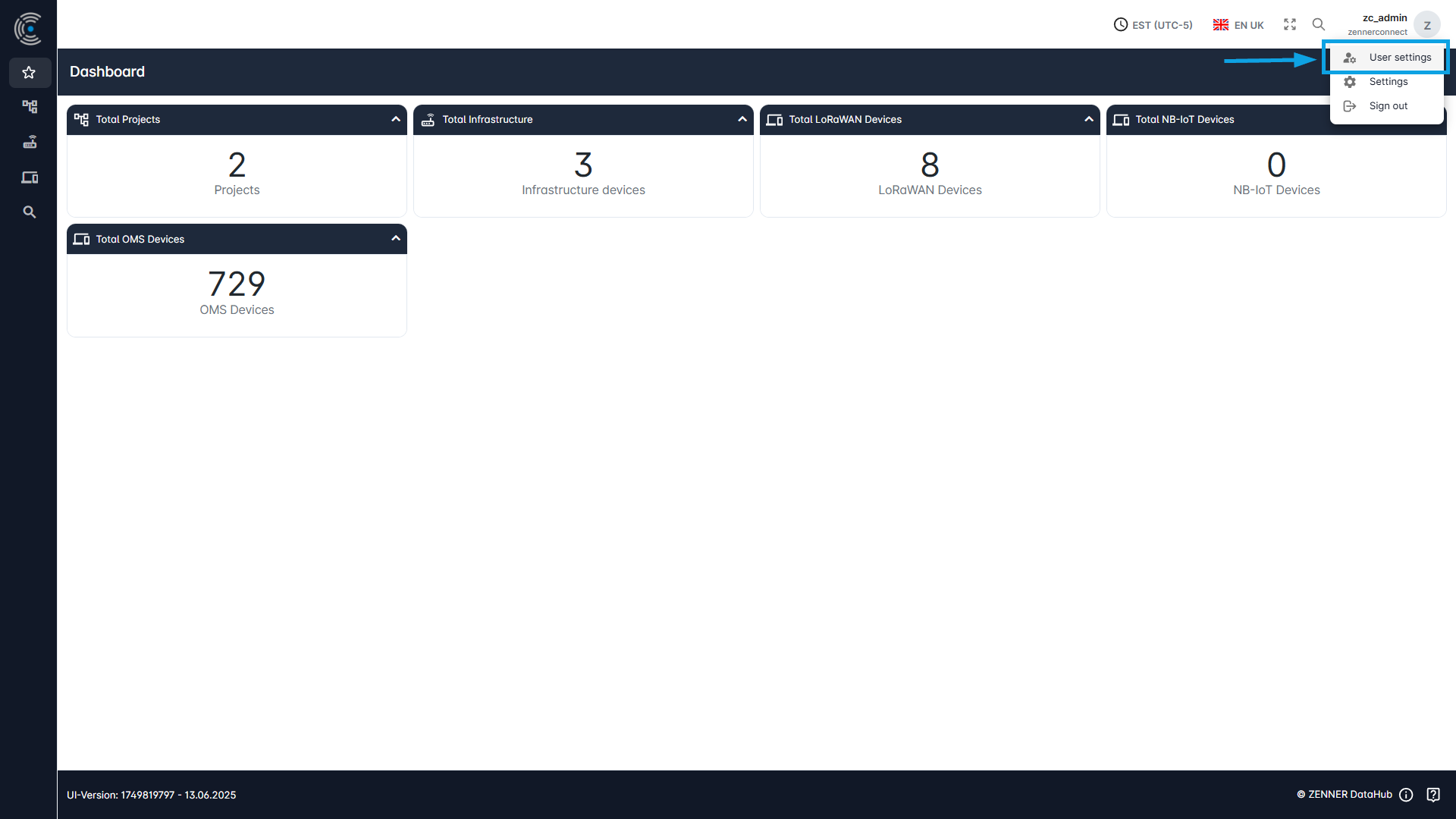
Depending on your personal user permissions, you will find different settings here.
Personal User/Account Settings
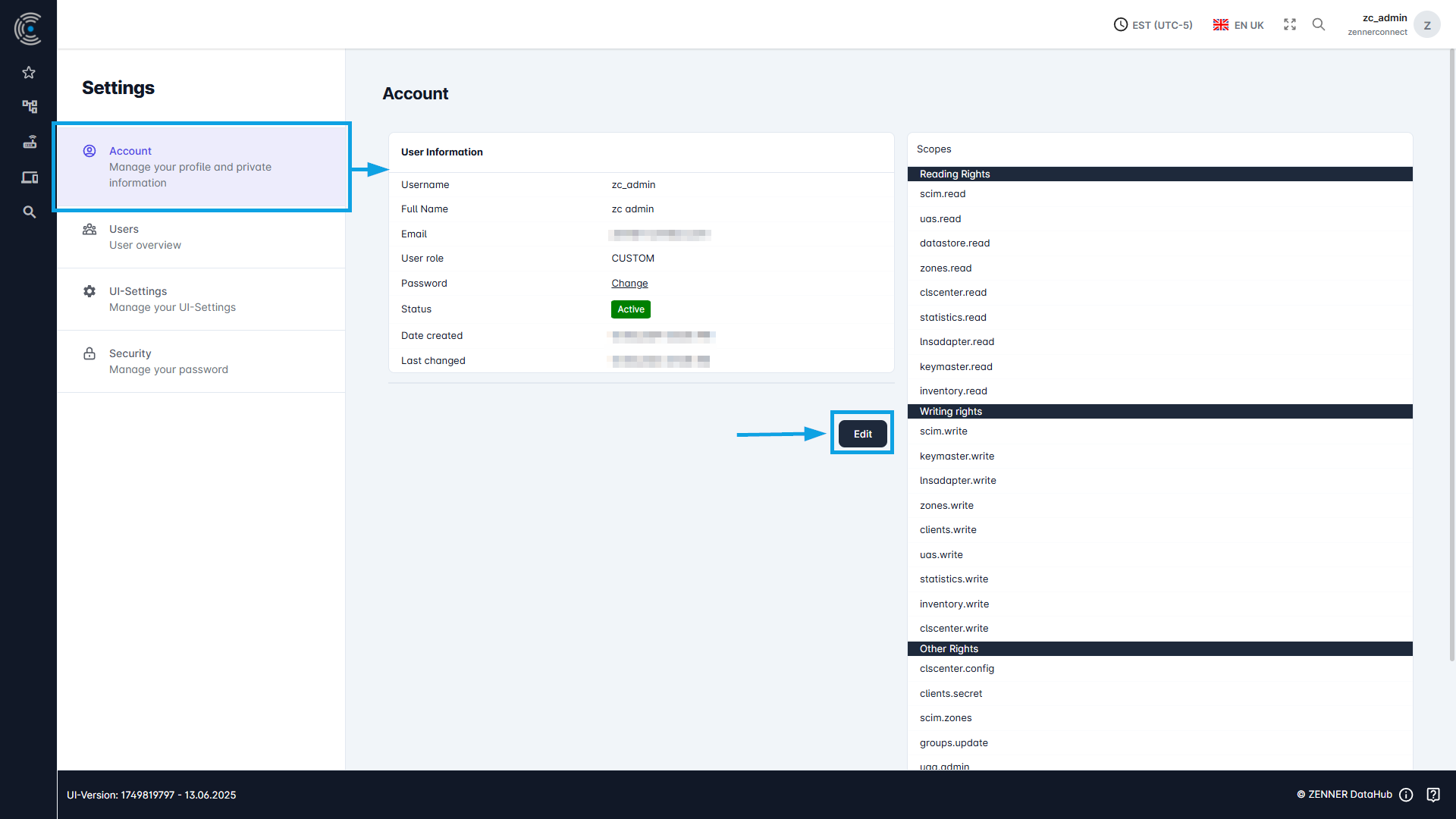
In the tab “Account” you can manage your personal user profile/account and private information. You can change your password, username, first name, last name and/or your email address.
General User Settings (Admins)
If you are an admin user with the respective permissions, you can find an overview of all users in your tenant behind the tab “Users“, along with the option to edit them.