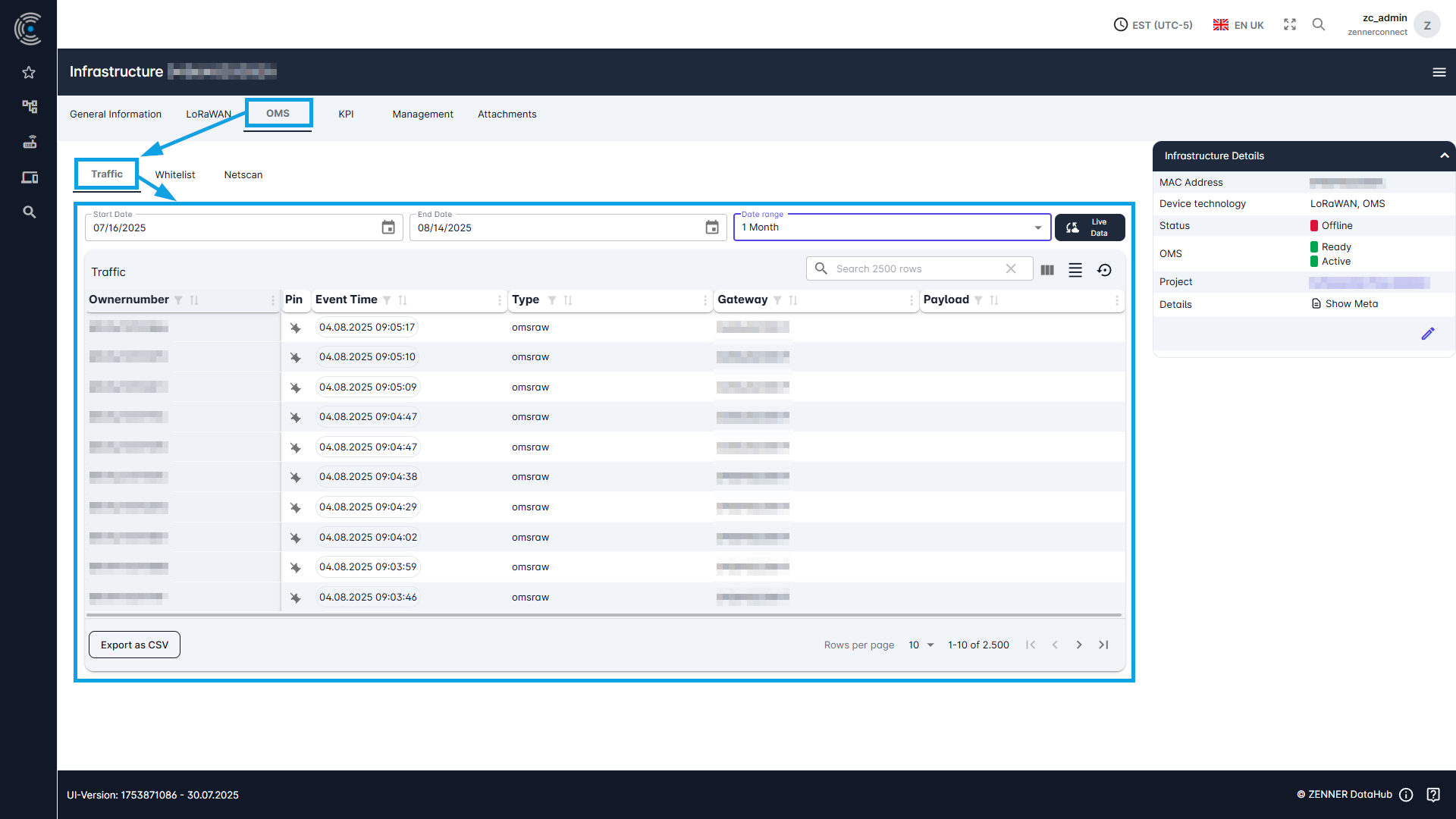
Traffic = All raw data packets sent or received by an infrastructure component, like in most cases a Gateway.
View LoRaWAN Traffic
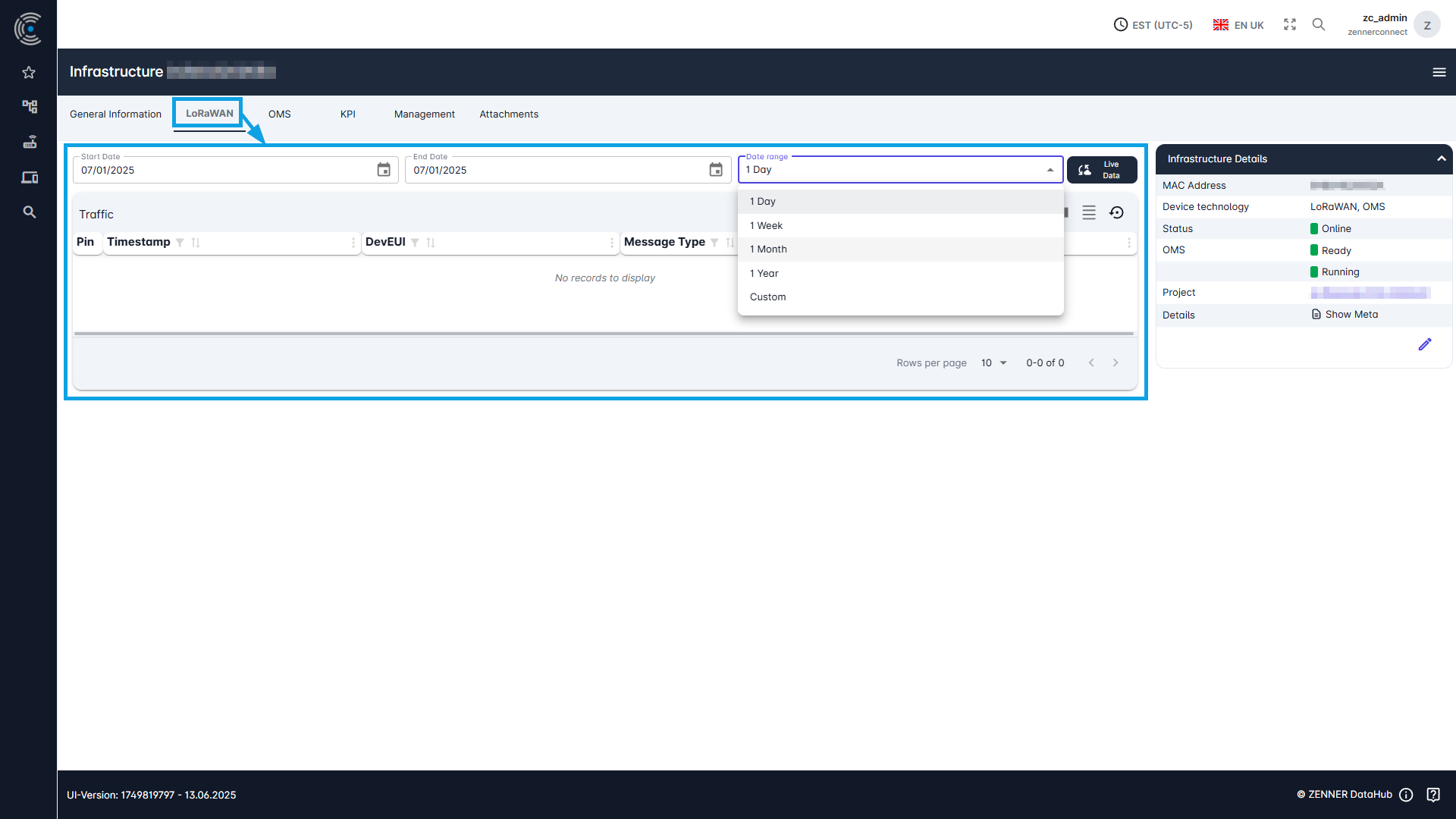
To display the raw LoRaWAN traffic of an infrastructure component, it must first be selected via the infrastructure list. To view then the traffic, go to the “LoRaWAN” tab on the selected component.
Various data on the LoRaWAN traffic received is displayed here in a table, where you also have several options for searching and filtering.
Tip: if you don’t see any traffic here so far, it might help to broaden or change the selected time range, like in the example below.
View OMS Traffic
To display the raw OMS traffic of an infrastructure component, proceed as you would with LoRaWAN traffic (see above) and simply select the “OMS” tab for the chosen component.
Various data on OMS traffic received is displayed in a table here. As with LoRaWAN traffic, there are several options for searching and filtering.
Tip: If you’re not seeing any traffic here yet, as we mentioned earlier about LoRaWAN traffic, try widening or adjusting the time range.