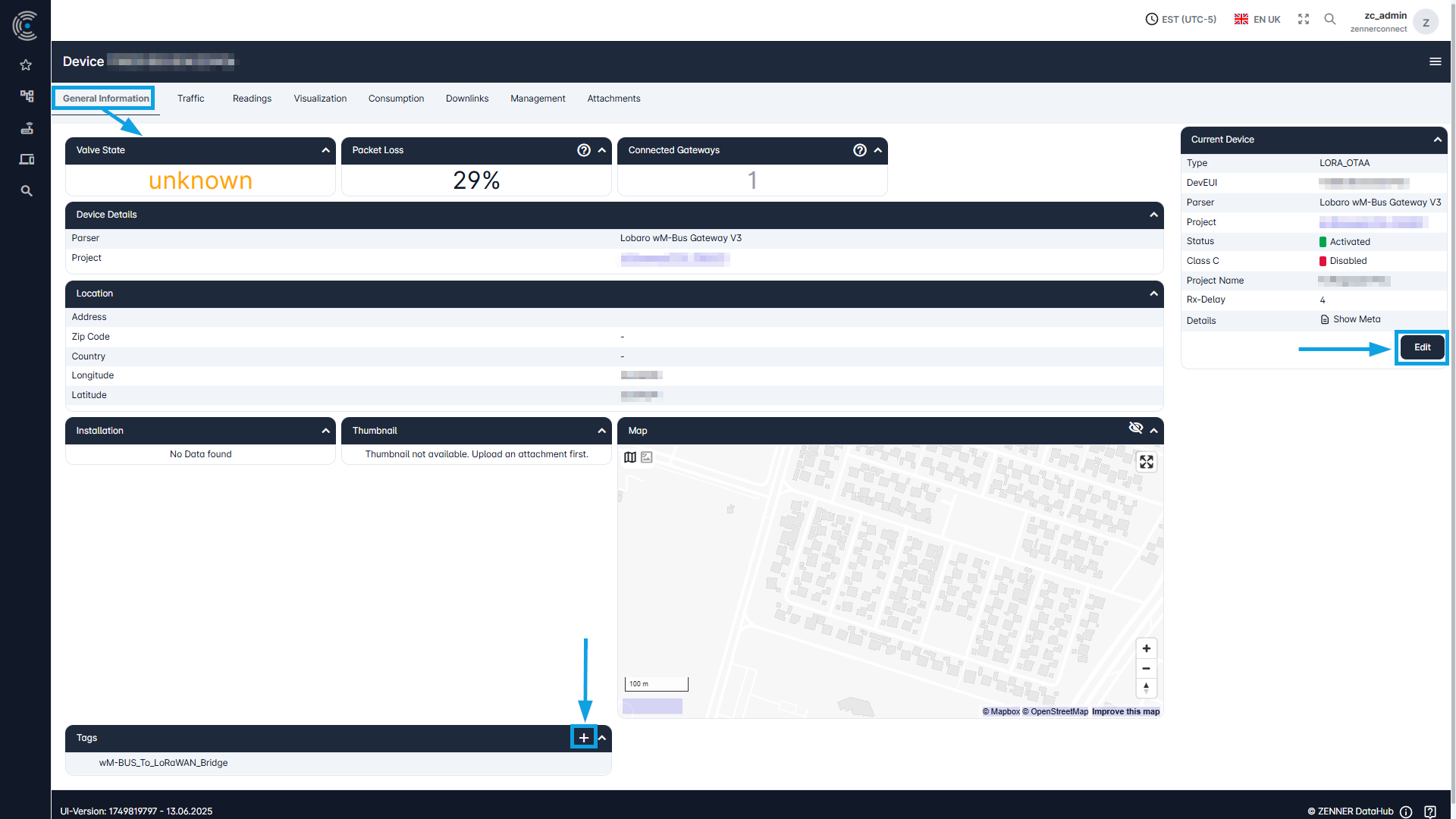
In the tab “General Information” of a device you can find some general information about the respective device like it’s Valve State (in case of e. g. a water or gas meter with this functionality respective information), it’s Packet Loss or the amount of Connected Gateways.
Depended on what is filled in for the respective infrastructure component or not, below you can find further “Device Details” including the assigned Parser and/or Project, it’s Location, it’s Installation and if uploaded under “Attachments” and defined as such, also a picture of it as small Thumbnail.
Moreover, if the location information is filled in, you can see the device’s location on the Map and below that, you can see all currently assigned Tags. Here you can also remove assigned tags or assign new ones via the “Plus” icon. Multiple selection is also possible here.
To adjust or add some general information, you can simply use the “Edit” button on the right.