
OMS can be switched on or off on the respective gateways through which OMS device traffic should be received. LoRaWAN, on the other hand, is always switched on.
The information on the right shows whether the gateway is ready for OMS. If so, the status here is “Ready“. If not, the status is “Not ready“. Additionally, the statuses “Active” and “Inactive” are also available. OMS will only be received if both “Ready” and “Active” are given.
If the status is “Ready” and OMS is not switched on yet, you can click on “Start” in the “Management” tab under “OMS status” to switch it on. Switching on and off results in a reboot.
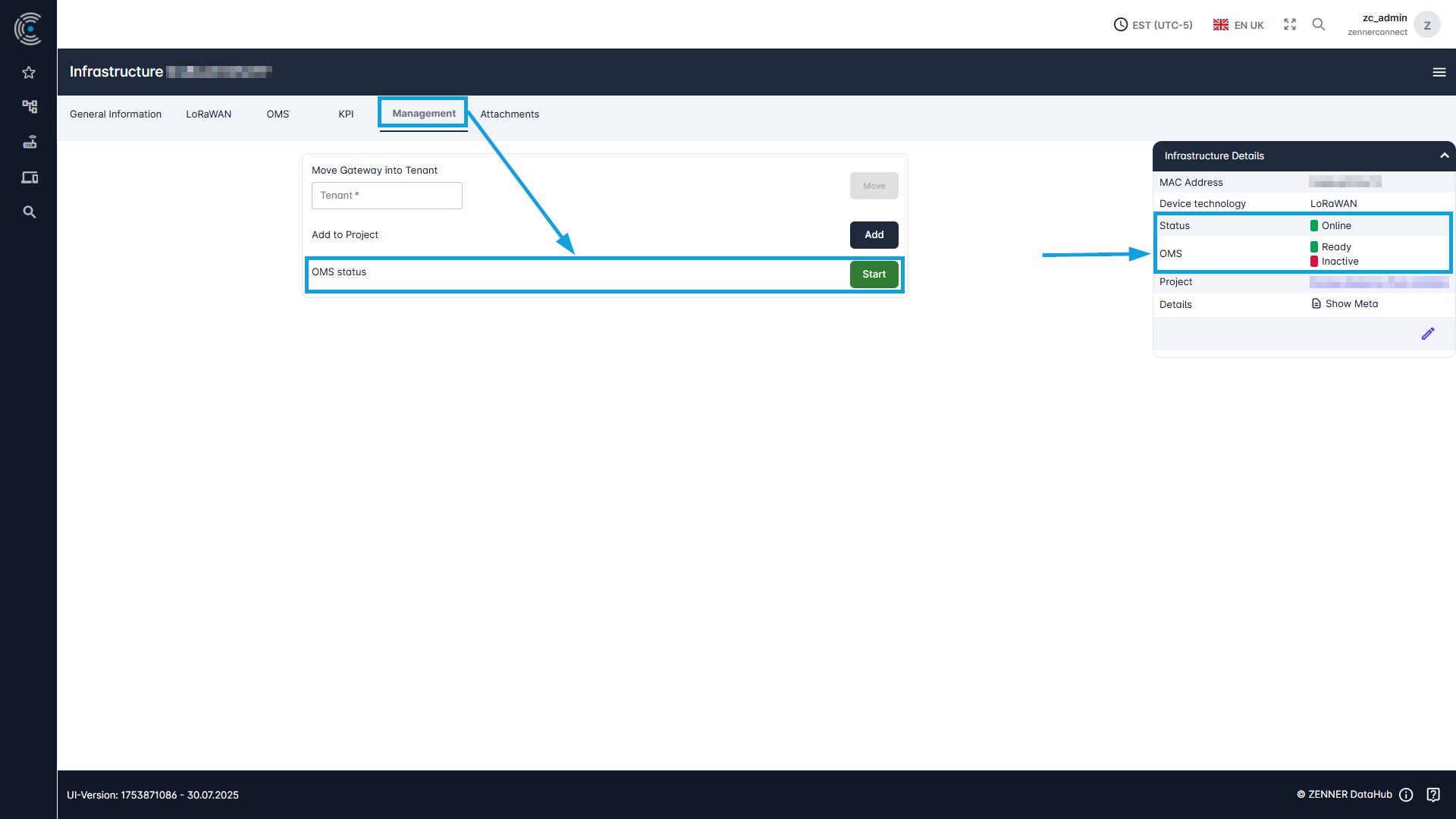
If OMS is already switched on and running, clicking on “Stop” will deactivate it immediately.
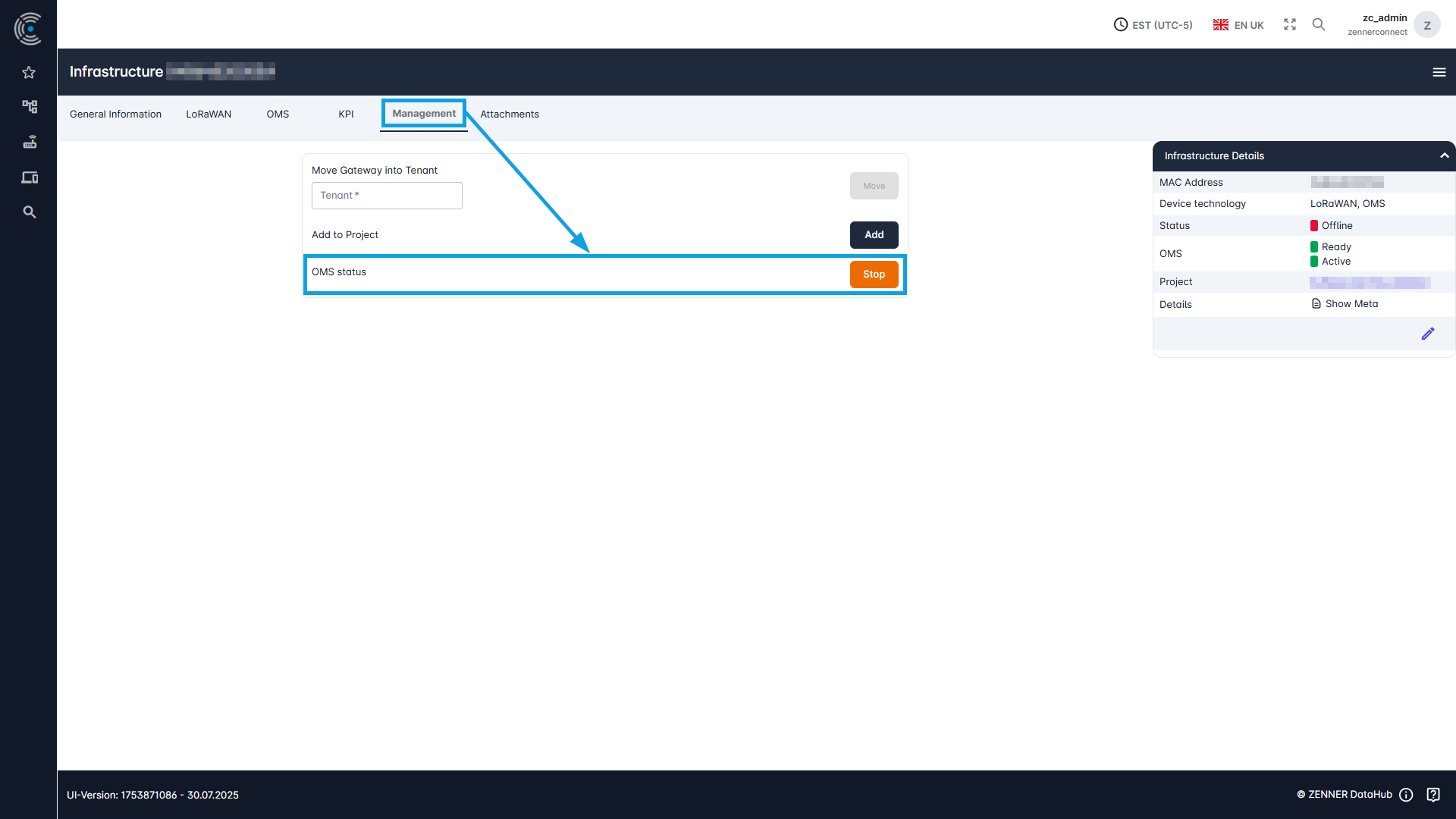
Important: If OMS is not ready on a gateway, the option to switch on or off OMS is not displayed here. The same applies if the gateway is offline → “Not Ready”.