
The first option is to add a new infrastructure component, in most cases a Gateway, manually via the Infrastructure subpage. This method is useful for adding for example individual Gateways.
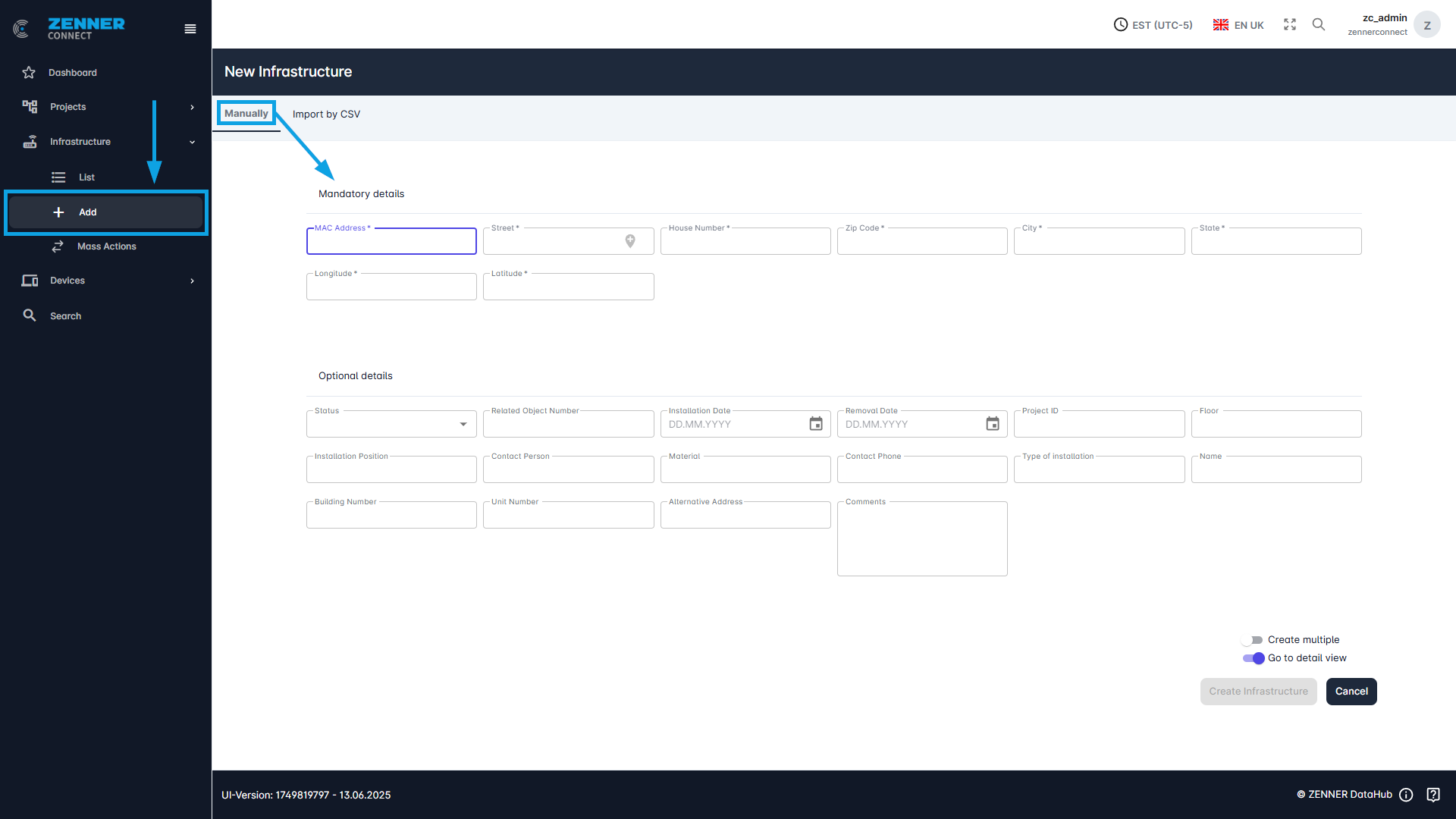
The following information is required for this:
Field | Meaning |
MAC Address | The MAC address of the gateway |
Street | The current street of the device is specified here |
House Number | House number of the device location |
Zip Code | Zip code of the device location |
City | City in which the device is located |
State | State in which the device is located |
Latitude | Latitude at which the device is located |
Longitude | Longitude in which the device is located |
Status | Here you can select whether the device has been installed or not |
Related object number | indicates the property number |
Installation date | Here you can select when the device was installed |
Removal date | Here you can select when the device was removed (if possible) |
Project-ID | A project ID to assign the gateway to an existing project |
Floor | The floor on which the gateway is installed |
Installation Position (room) | The exact data where the device is currently installed is given here |
Contact Person | A contact person for this gateway |
Material | What material the gateway is made of |
Contact Phone | Phone number of the contact person |
Type of installation | The mounting position of the device can be entered here |
Name | Here you can enter a name for the gateway |
Building Number | A building number in which the gateway is installed |
Unit Number | Which unit number the gateway is |
Alternative Address | An alternative address can be entered here |
Comments | Comments about this gateway |