Edit via Project Page
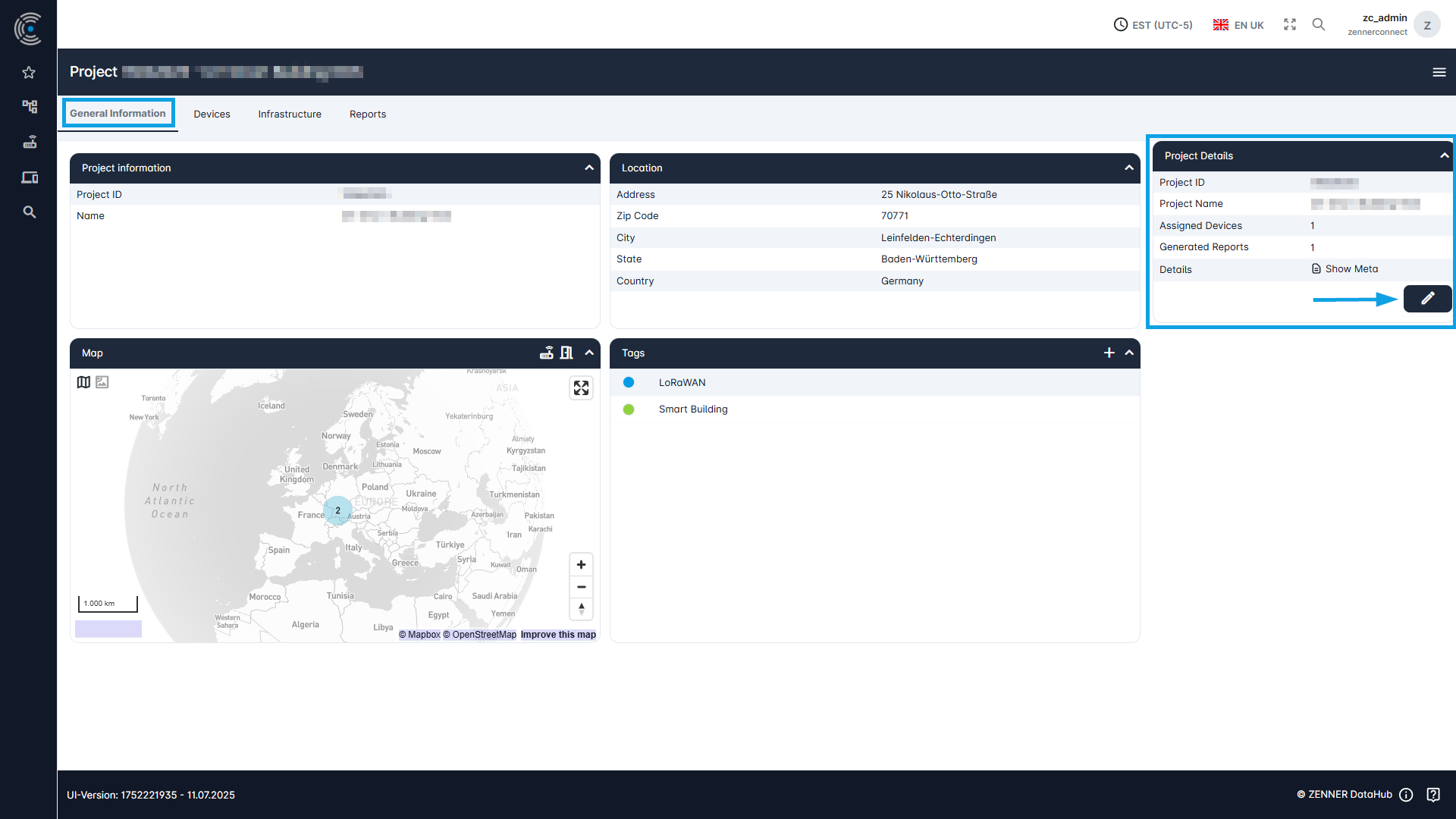
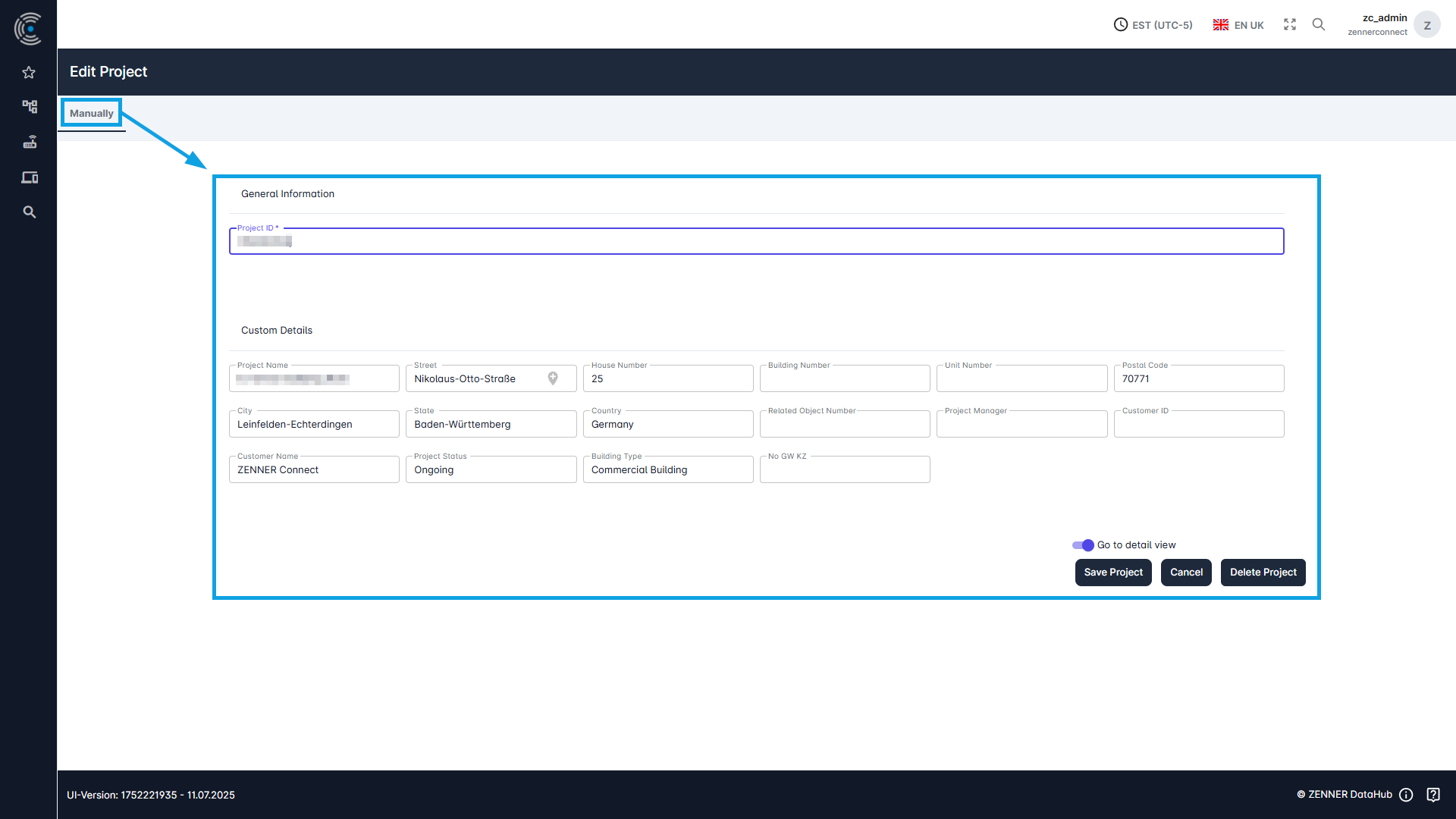
One option is to edit an existing Project via the respective project page. Therefore open the wished project via the project list and then click on the “Edit” button on the right.
Edit via Project List
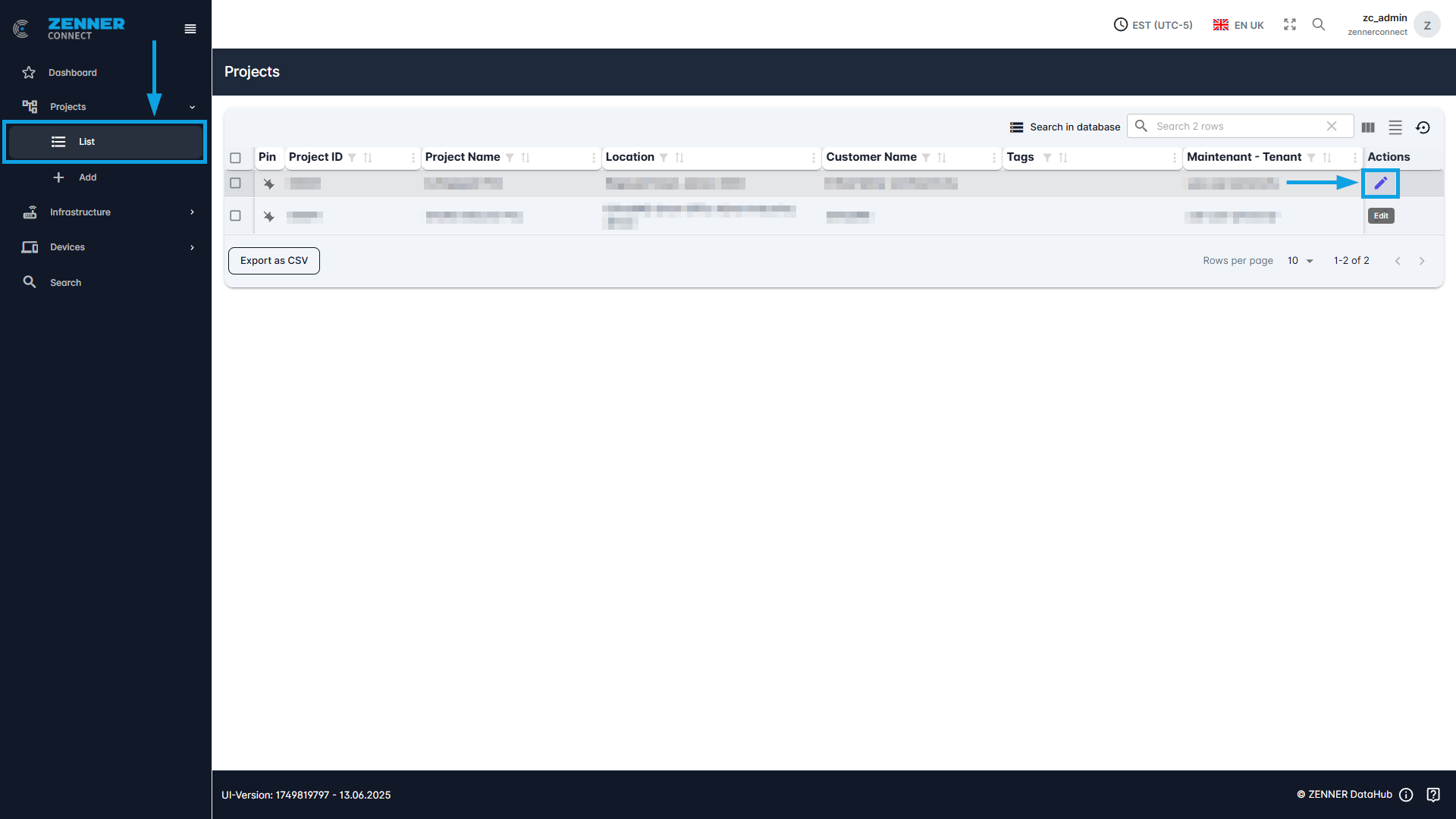
Another option for editing an existing project is to use the “Edit” button directly on the project list next to the relevant project.