
To add other new users, you first have to log in to the ZENNER Datahub using a user account with permission to add new users within the relevant tenant.
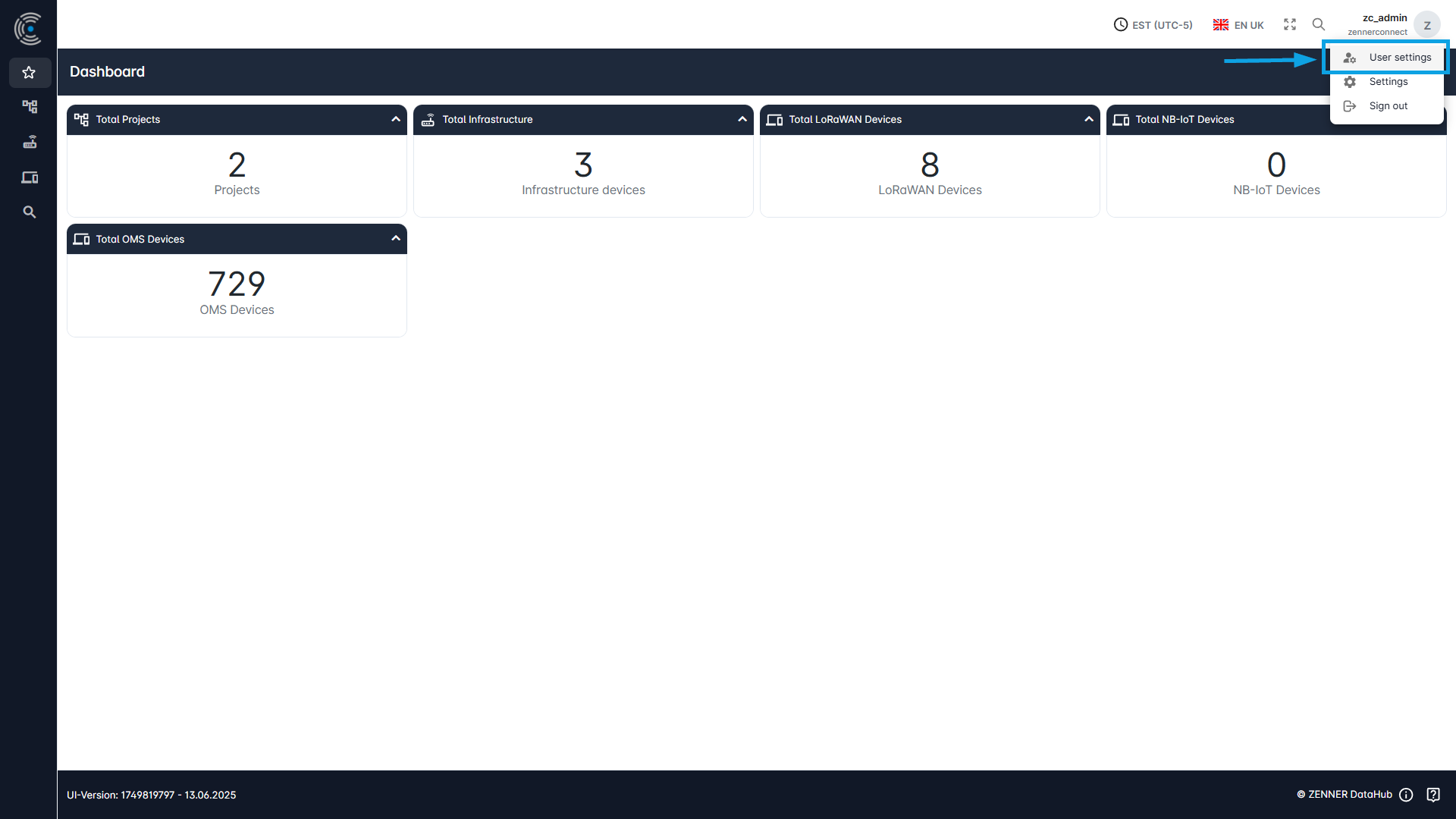
After clicking on the username at the top right, a selection with User Settings appears. After clicking on this, your own account information is displayed.
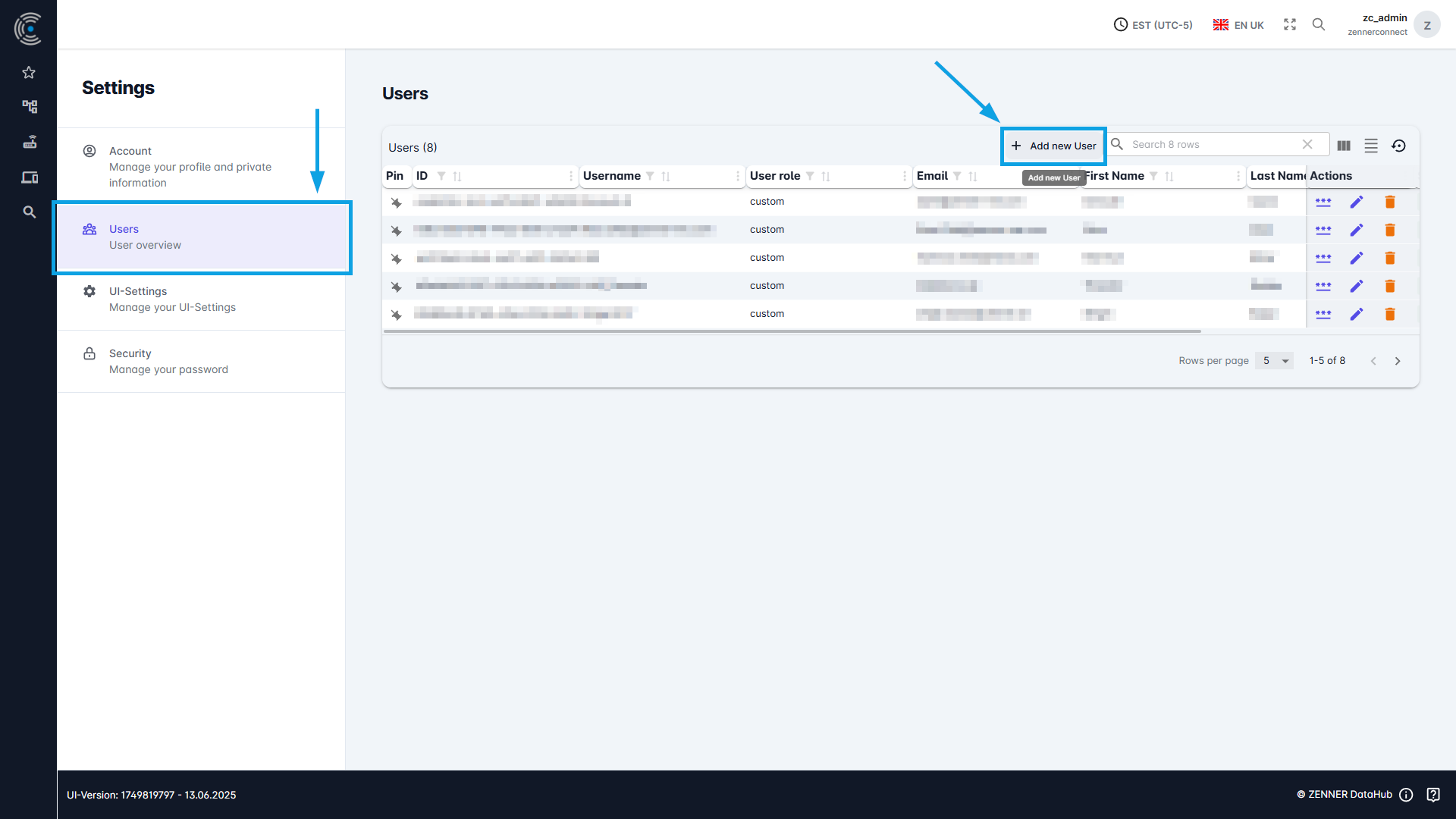
On the left, we then select “Users” under “Settings“.
All users in the tenant are listed here. We select “Add New User” here to continue with the user creation.
Here we see various information that is required for a user system.
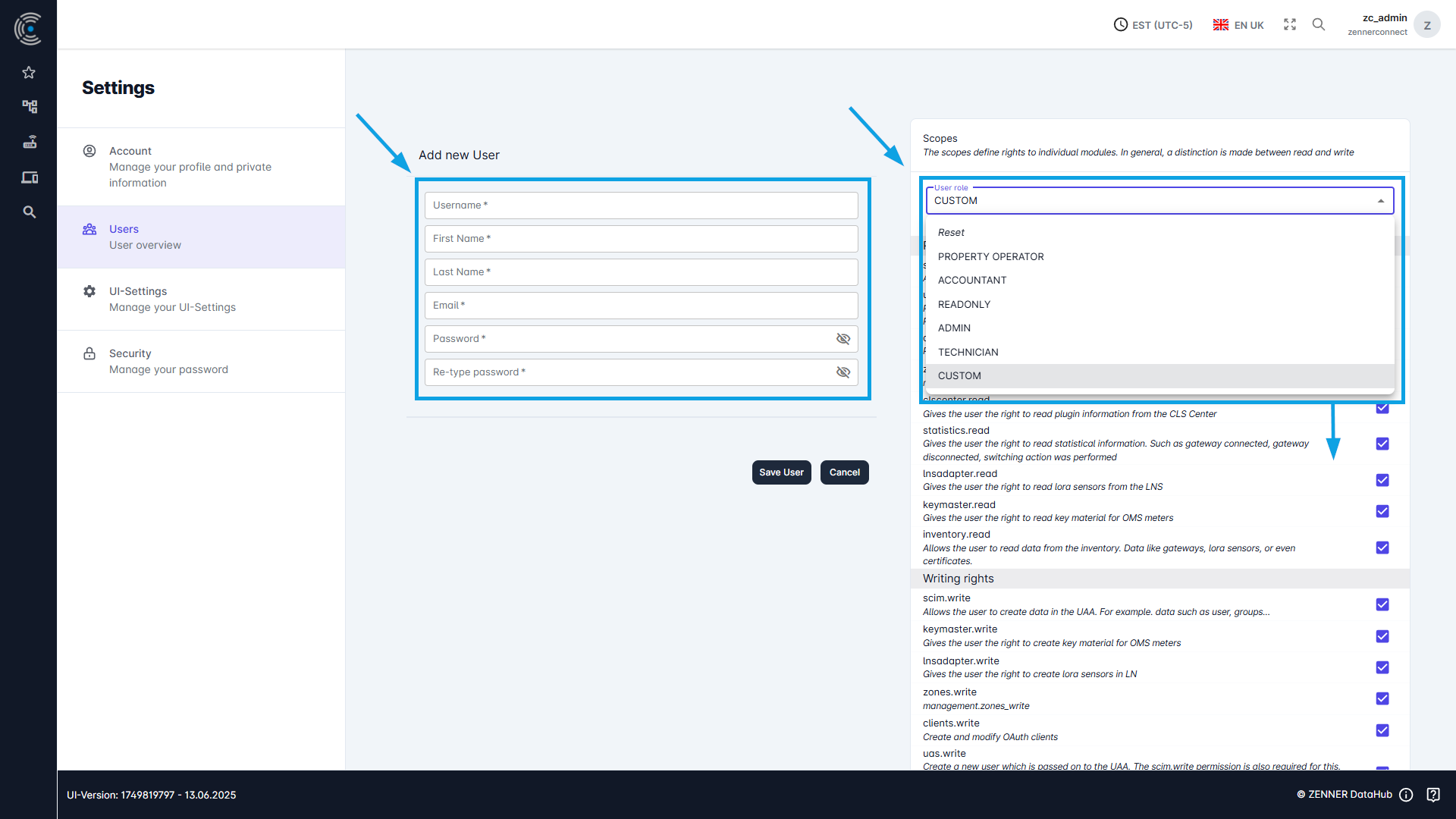
The username is entered first. Please note that the same username can only be used once per tenant. The other points are first name and surname, email address and password.
Before a user is created, the type of user must be selected on the right. A distinction is made here between:
- Admin: An admin user has the most rights, they can create and delete users
- Technician: Technician, has the most rights after the admin user and can do everything except create users
- Accountant: Accountant, has fewer rights but can create devices
- Property Operator: Property operator is very similar to the read only user, has very few rights
- Read only: A read-only user only has read access.
- Custom: With a custom user, all rights can be assigned individually
After a new user has been created, the initial credentials including the initial password must be sent to the user by email. This does not happen automatically.
Important: Make sure that the password is changed after the first login.
As a security guideline, we recommend a password consisting of at least 16 characters with special characters. Group users may not be created for security reasons.