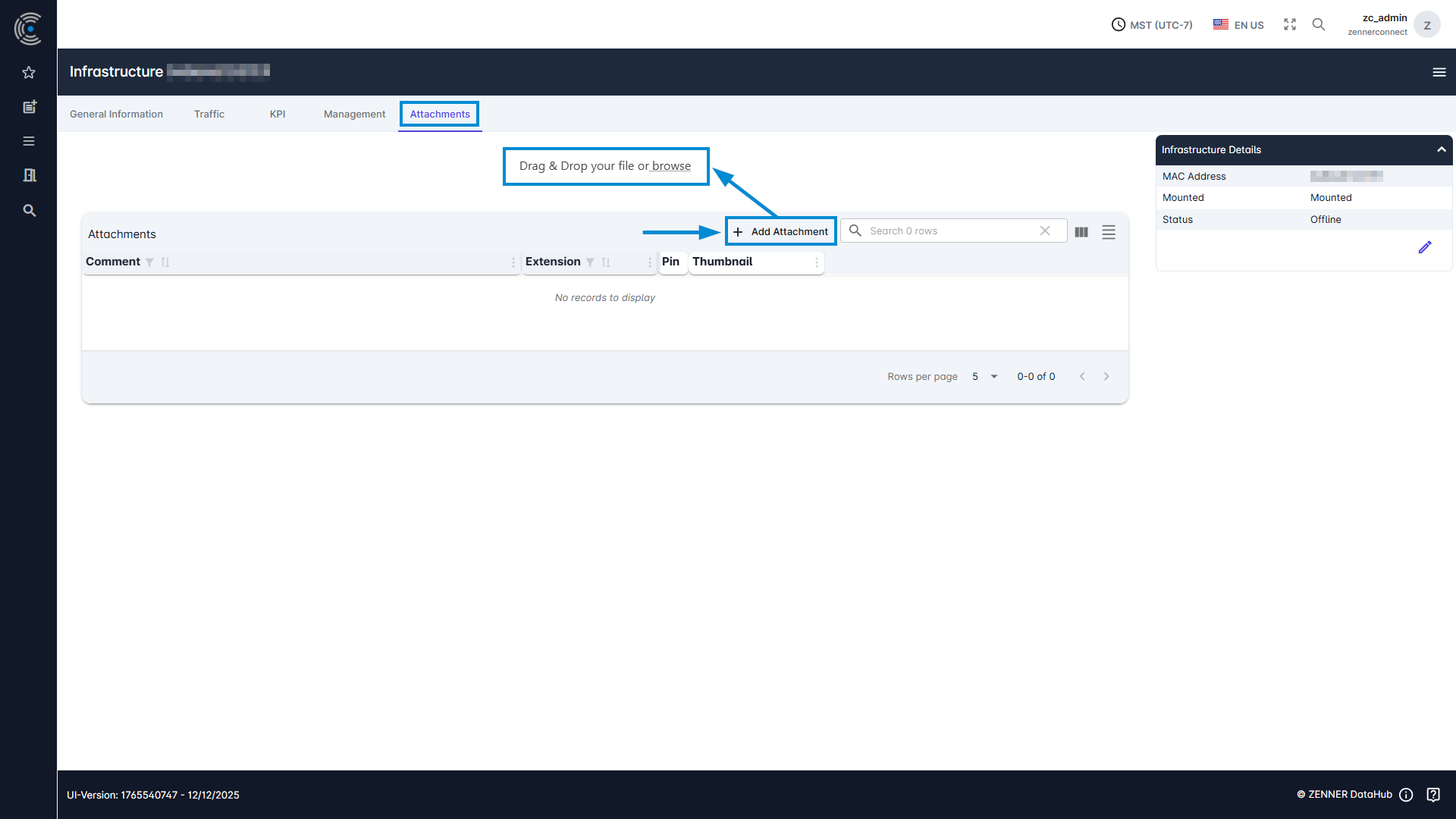
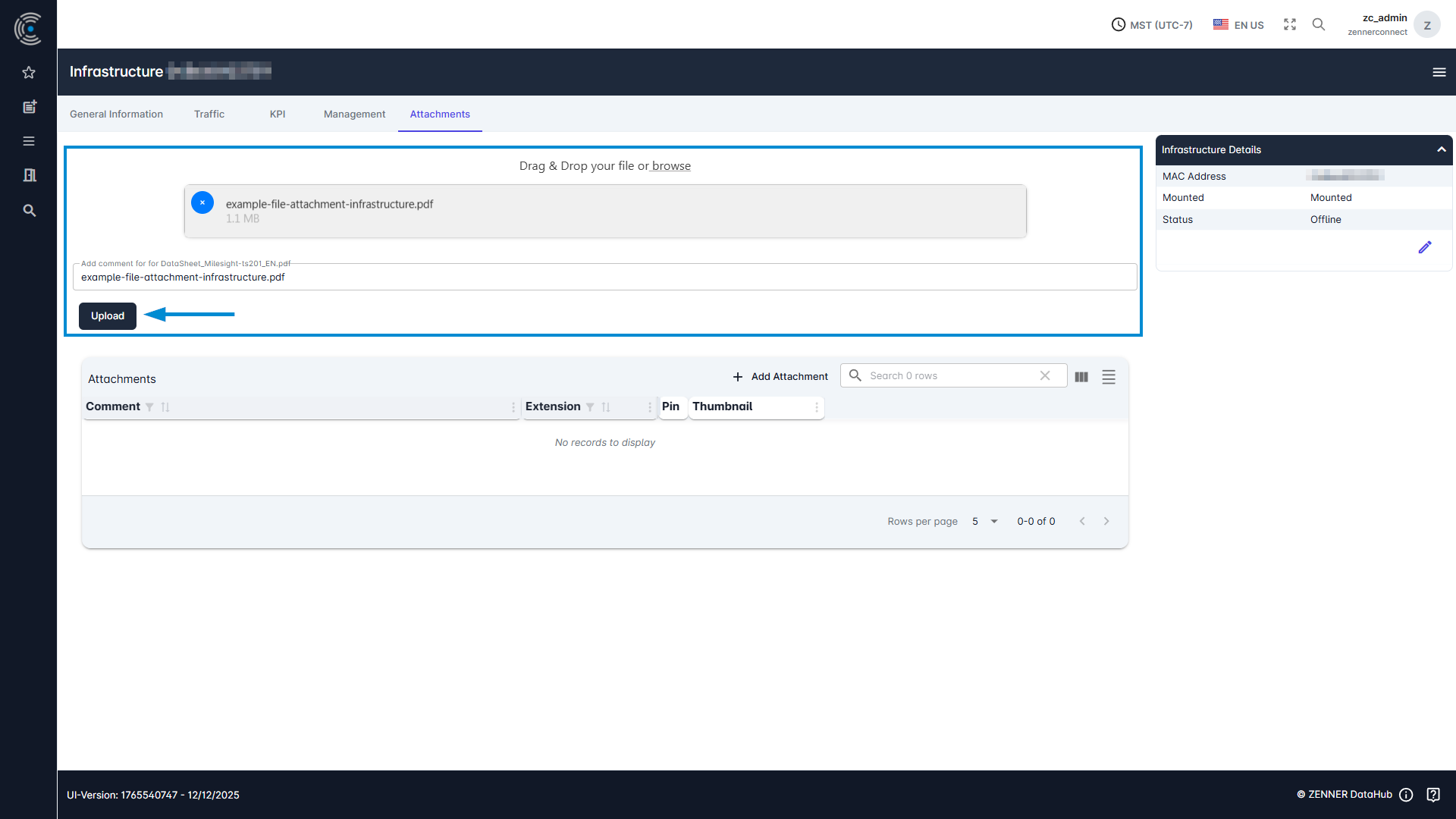
Attachments can be added by selecting the infrastructure component, for example a Gateway, from the infrastructure list. Open it there by clicking it, navigate to the “Attachments” tab and click there on the “Add Attachment” button at the top of the there shown table. Afterwards you can either simply drag & drop your attachment file or click on “browse” to select your file via the explorer.