
Devices which you’ve directly ordered from ZENNER, also for example via the ZENNERShop, usually are stored automatically in the UAA tenant after production. This means that you can usually simply add your devices to your customer tenant by provisioning instead of having to add them as new to the Datahub.
Devices can be provisioned or also deprovisioned under “Mass actions”.
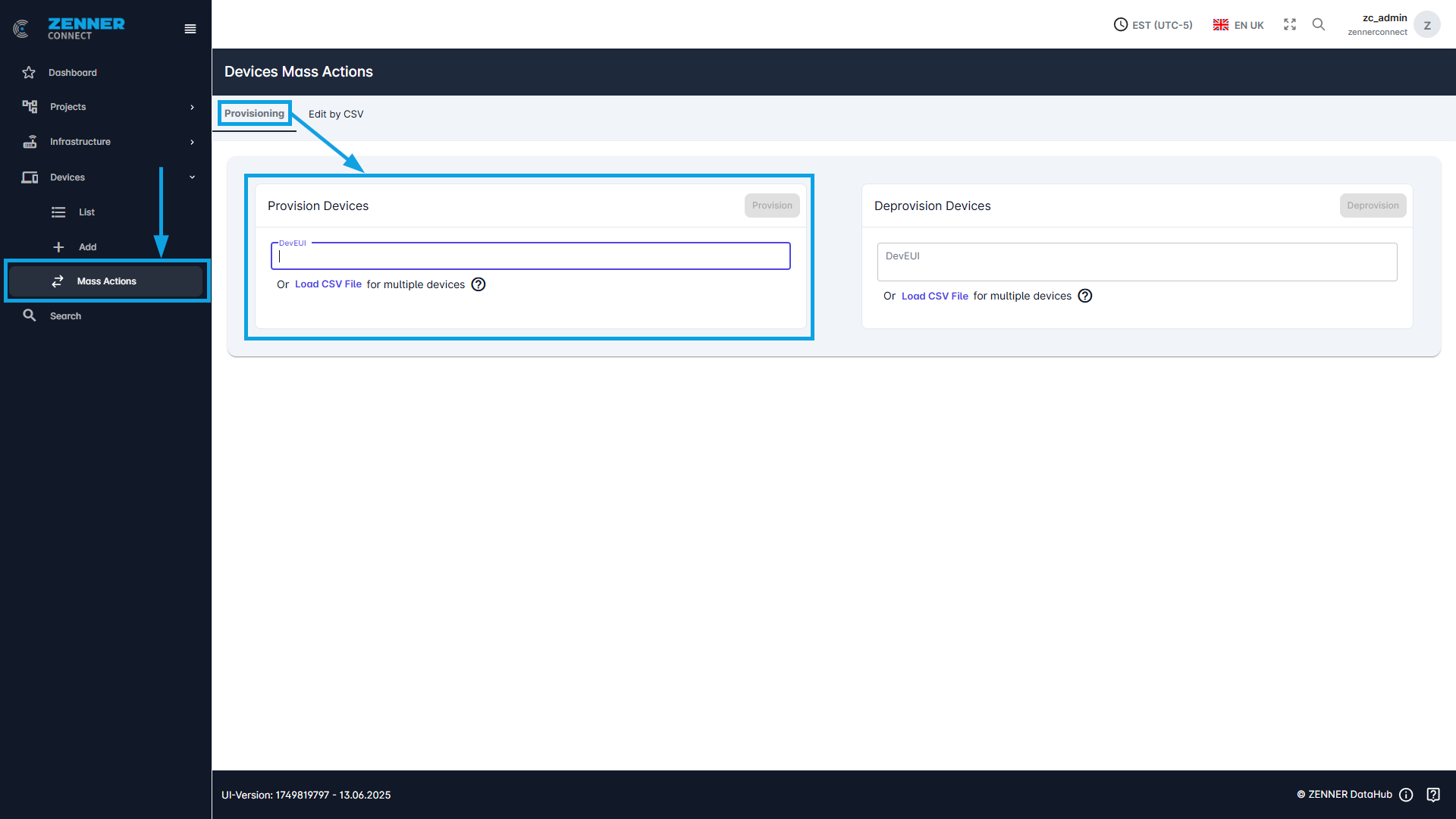
In this case, provisioning means activating the sensor. Deprovisioning, on the other hand, refers to deactivating the sensor. Deprovisioning moves a sensor (back) to the UAA tenant and it can no longer send measured values. If the sensor is to be reactivated at a later time, it can be reactivated using the provisioning command. Only the DevEUI is then required for this process.
For a single DevEUI, it can be entered in the text field and then executed using the Provision or Deprovision command.
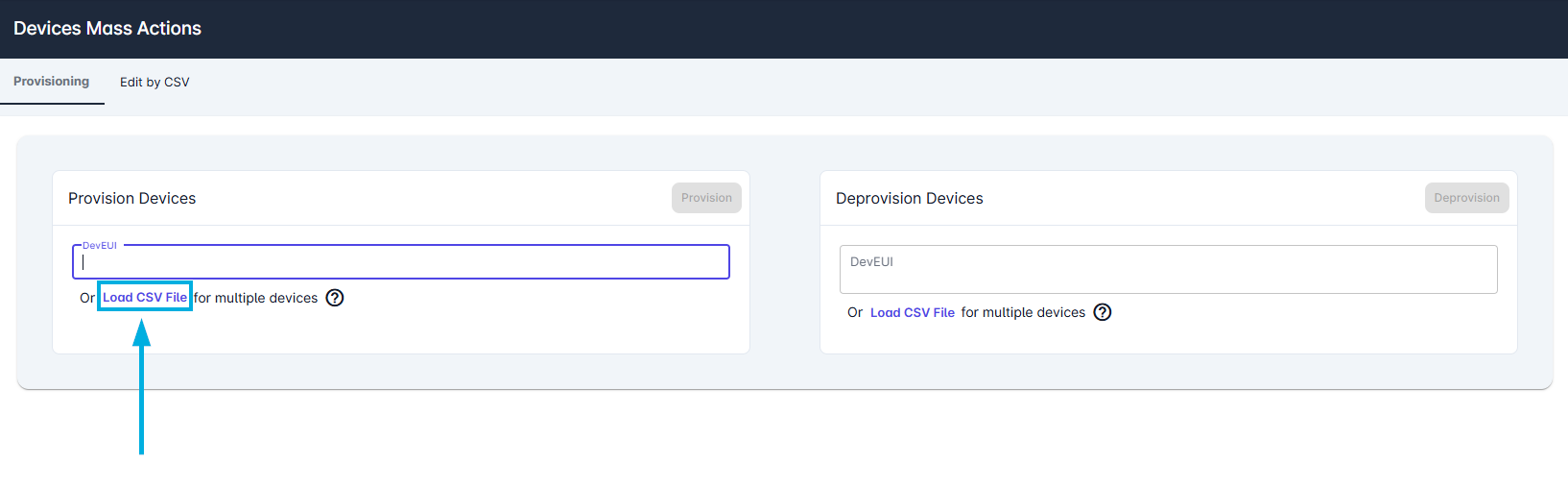
If several devices are provisioned or deprovisioned, a CSV file can be imported via “Load CSV File”
For this process, all DevEUIs that are to be provisioned or deprovisioned must be listed one below the other in the CSV file.
Frequent questions about provisioning/deprovisioning:
- If a device is to be provisioned, does it make a difference in which tenant it is currently located?
→ Yes, because devices can only be provisioned if they are currently in the UAA tenant. - If a device is deprovisioned, will it be deleted?
→ No. Deprovisioned devices are moved to the UAA tenant along with their measured values - If I provision a device, what happens to its previously sent values?
→ When a device is provisioned, all associated packages and measured values are also transferred.