
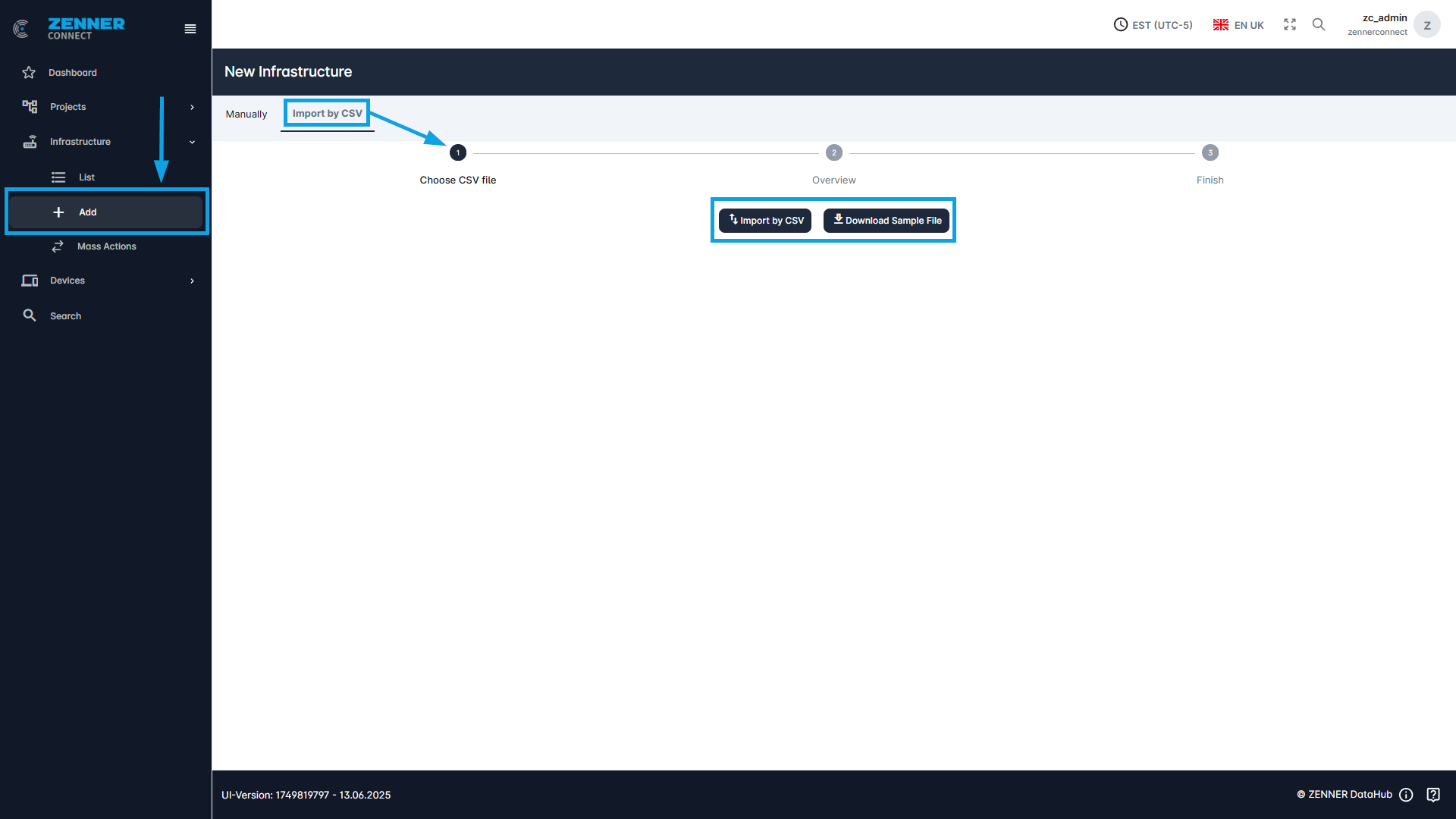
The second method to add new infrastructure components, like Gateways, is by CSV file import. This can be done either via Infrastructure “Add” under “Import by CSV” or via “Mass Actions”. This is useful if for example several Gateways are to be imported.
The sample file is downloaded for this purpose. The information on the respective Gateway is entered in the fields provided for this purpose. The sample file is then uploaded using the “Import by CSV” button.
Here is an example screenshot of a sample file:

The following table provides a short explanation of each field/column when adding new infrastructure components. All fields marked with an asterisk (*) are mandatory.
Field | Meaning |
macAddress * | MAC address = unique identifier of the infrastructure/gateway (like devEUI for devices) |
street * | Current street name of the infrastructure/gateway location |
houseNo * | Current house number of the infrastructure/gateway location |
zipCode * | Current postal / ZIP code of the infrastructure/gateway location |
city * | Current city of the infrastructure/gateway location |
state * | Current state of the infrastructure/gateway location |
lat (latitude) * | Current latitude of the infrastructure/gateway location |
lng (longitude) * | Current longitude of the infrastructure/gateway location |
status | Current installation status of the infrastructure/gateway → Mounted or dismounted |
relatedObjectNumber | Indicates property number of the infrastructure/gateway |
installationDate | Installation date of the infrastructure/gateway |
removalDate | Removal date of the infrastructure/gateway |
locationId | Project ID of the existing project to which the infrastructure/gateway is to be assigned |
floor | Current floor on which the infrastructure/gateway is installed |
installationPosition | Current installation position of the infrastructure/gateway → e.g. room or floor |
contactPerson | Current contact person for the infrastructure/gateway |
material | Material of the infrastructure/gateway |
contactPhone | Phone number of the contact person |
installationType | Current mounting position of the infrastructure/gateway can be entered here |
ownernumber | Internal name/identifier of the infrastructure/gateway |
buildingNumber | Current building number in which the infrastructure/gateway is installed |
unit | Unit number of the infrastructure/gateway location |
differentAddress | Different/alternative address of the infrastructure/gateway location |
comment | Additional comment(s)/information about the infrastructure/gateway |