
The first option is to add a new infrastructure component, in most cases a Gateway, manually via the Infrastructure subpage. This method is useful for adding for example individual Gateways.
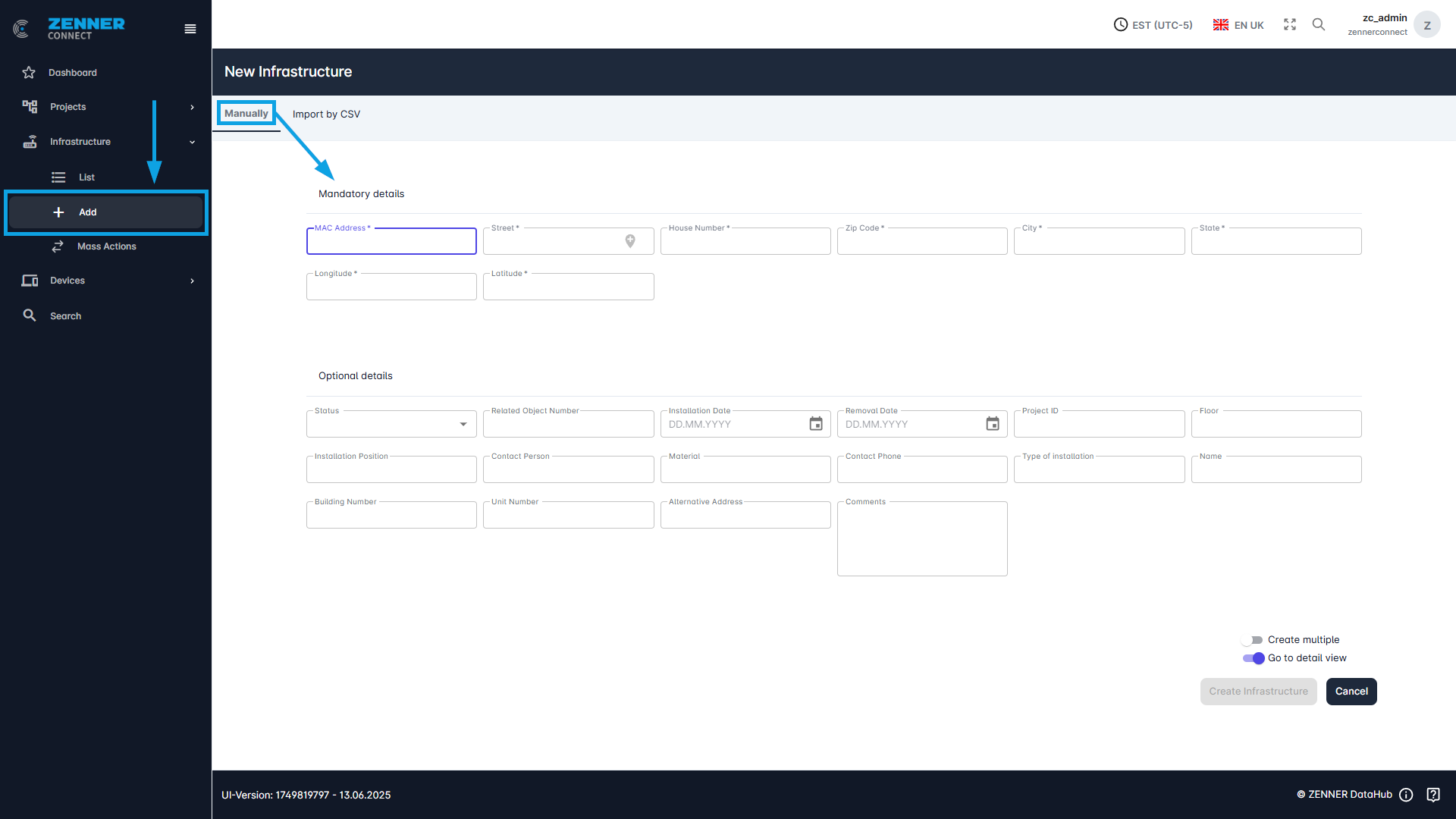
The following table provides a short explanation of each field/column when adding new infrastructure components. All fields marked with an asterisk (*) are mandatory.
Field | Meaning |
MAC Address | MAC address = unique identifier of the infrastructure/gateway (like devEUI for devices) |
Street | Current street name of the infrastructure/gateway location |
House Number | Current house number of the infrastructure/gateway location |
ZIP Code | Current postal / ZIP code of the infrastructure/gateway location |
City | Current city of the infrastructure/gateway location |
State | Current state of the infrastructure/gateway location |
Latitude | Current latitude of the infrastructure/gateway location |
Longitude | Current longitude of the infrastructure/gateway location |
Status | Current installation status of the infrastructure/gateway → Mounted or dismounted |
Related Object Number | Indicates property number of the infrastructure/gateway |
Installation Date | Installation date of the infrastructure/gateway |
Removal Date | Removal date of the infrastructure/gateway |
Project ID | Project ID of the existing project to which the infrastructure/gateway is to be assigned |
Floor | Current floor on which the infrastructure/gateway is installed |
Installation Position | Current installation position of the infrastructure/gateway → e.g. room or floor |
Contact Person | Current contact person for the infrastructure/gateway |
Material | Material of the infrastructure/gateway |
Contact Phone | Phone number of the contact person |
Type of Installation | Current mounting position of the infrastructure/gateway can be entered here |
Name | Internal name/identifier of the infrastructure/gateway |
Building Number | Current building number in which the infrastructure/gateway is installed |
Unit | Unit number of the infrastructure/gateway location |
Alternative Address | Alternative address of the infrastructure/gateway location |
Comments | Additional comment(s)/information about the infrastructure/gateway |