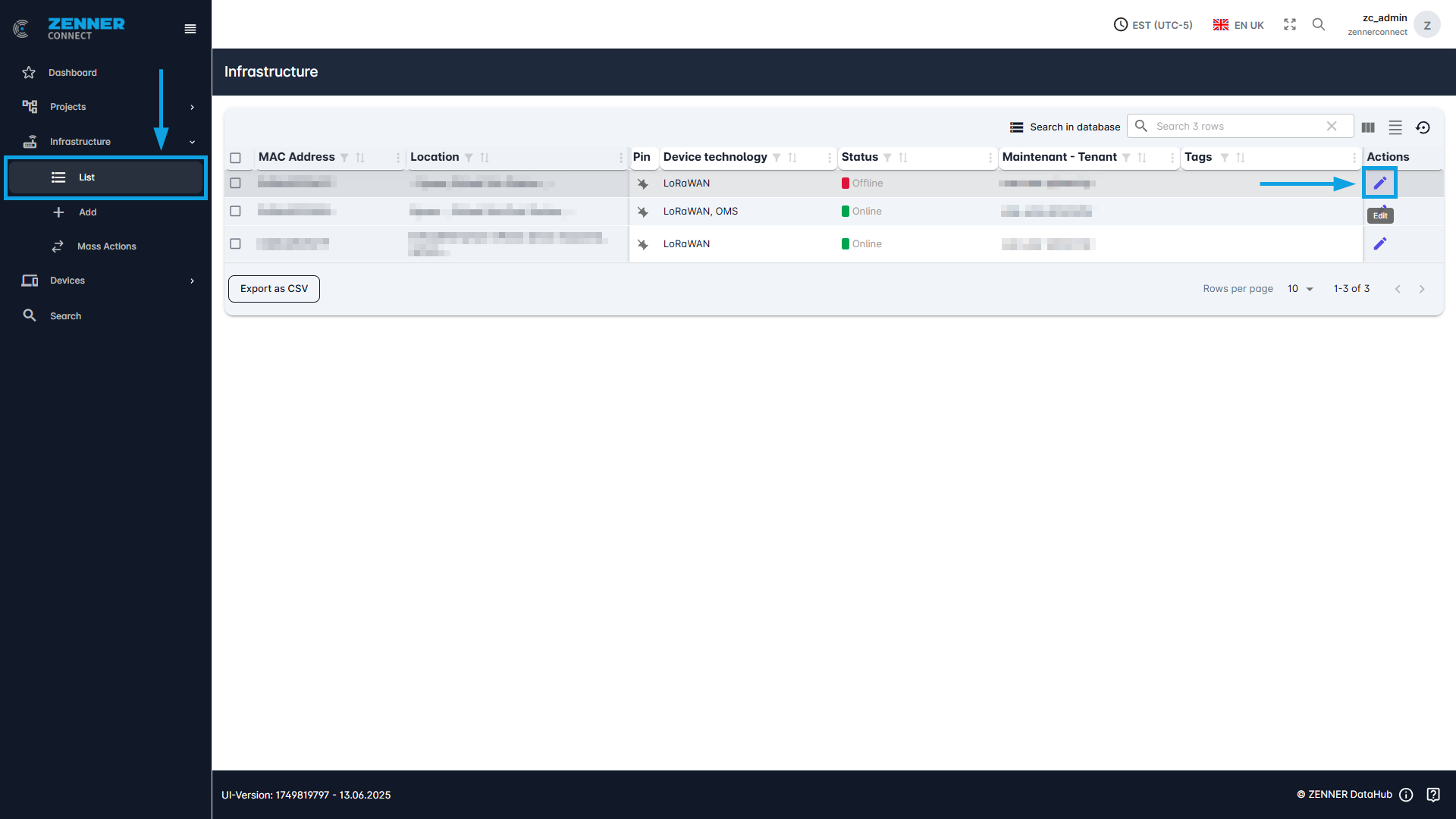
There are 2 ways for editing Infrastructure manually. In both cases, the first step is always to navigate to the infrastructure list.
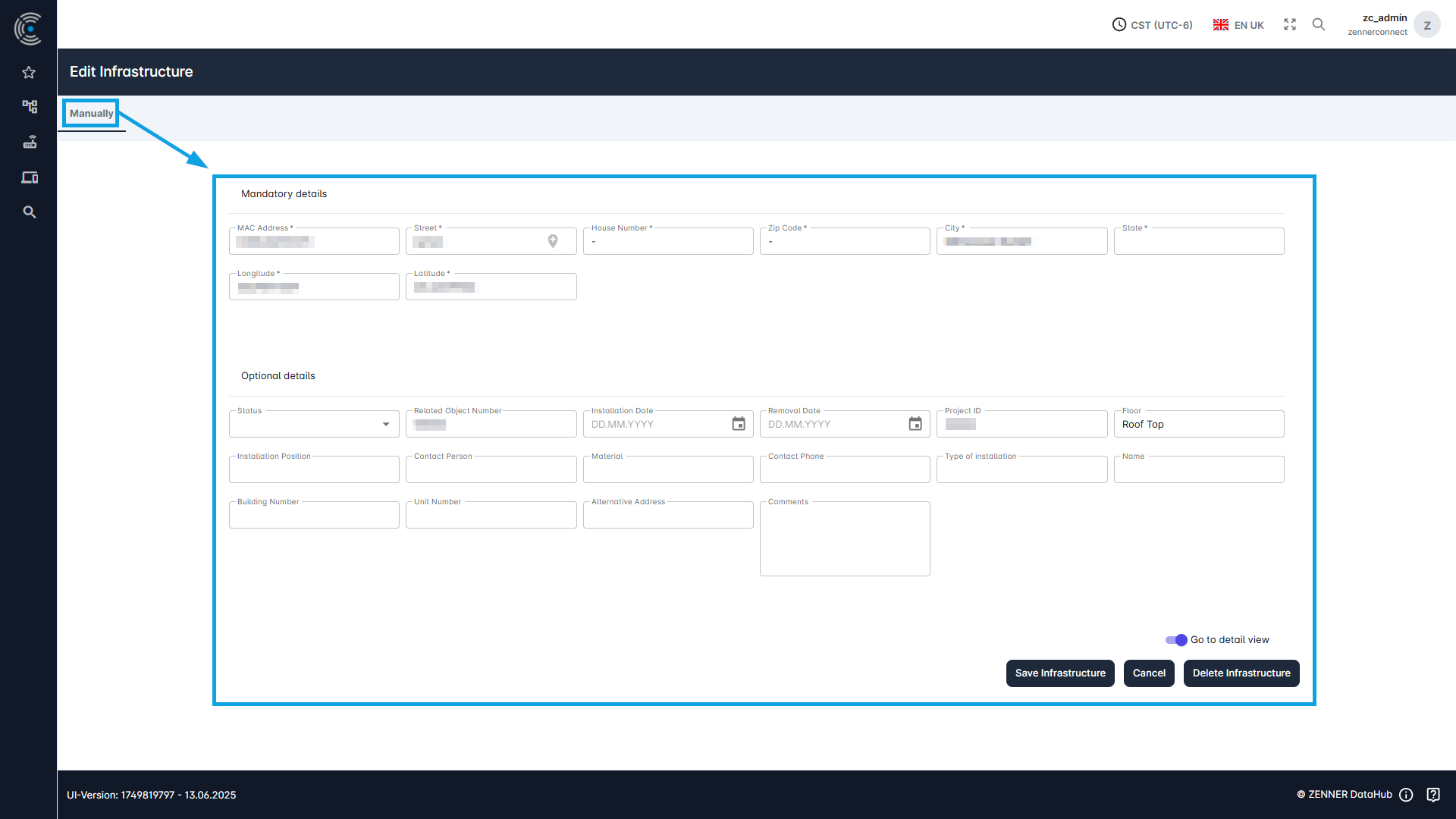
The first way is to directly use the “Edit” button on the right of the respective infrastructure component, like in most cases a Gateway. By clicking you will beforwarded to the respective Edit mask.