Assign Devices to Project
There are several options for assigning devices to a project.
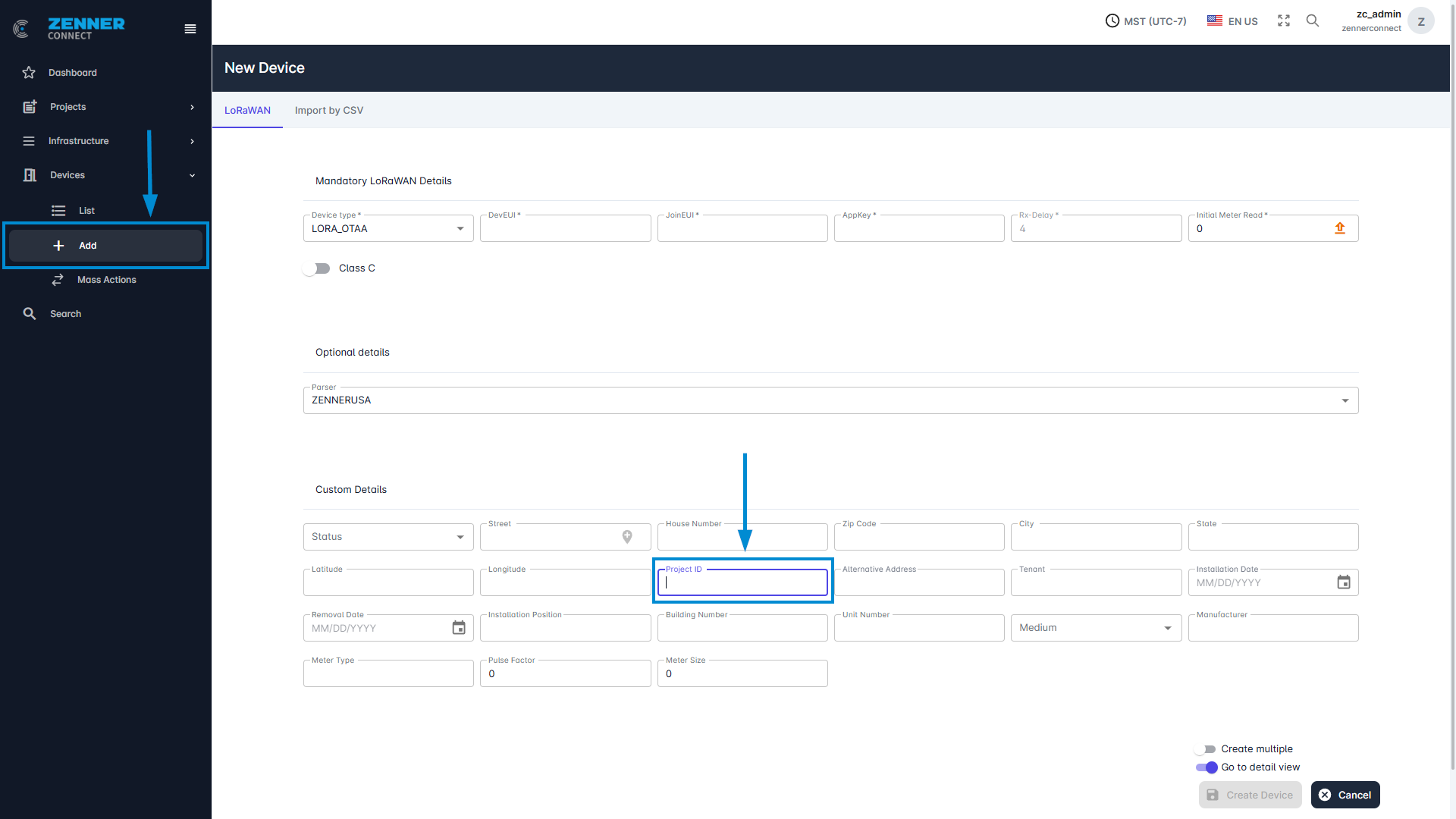
1st option: Enter the project ID directly when adding a new device so that the device is automatically assigned to the project.
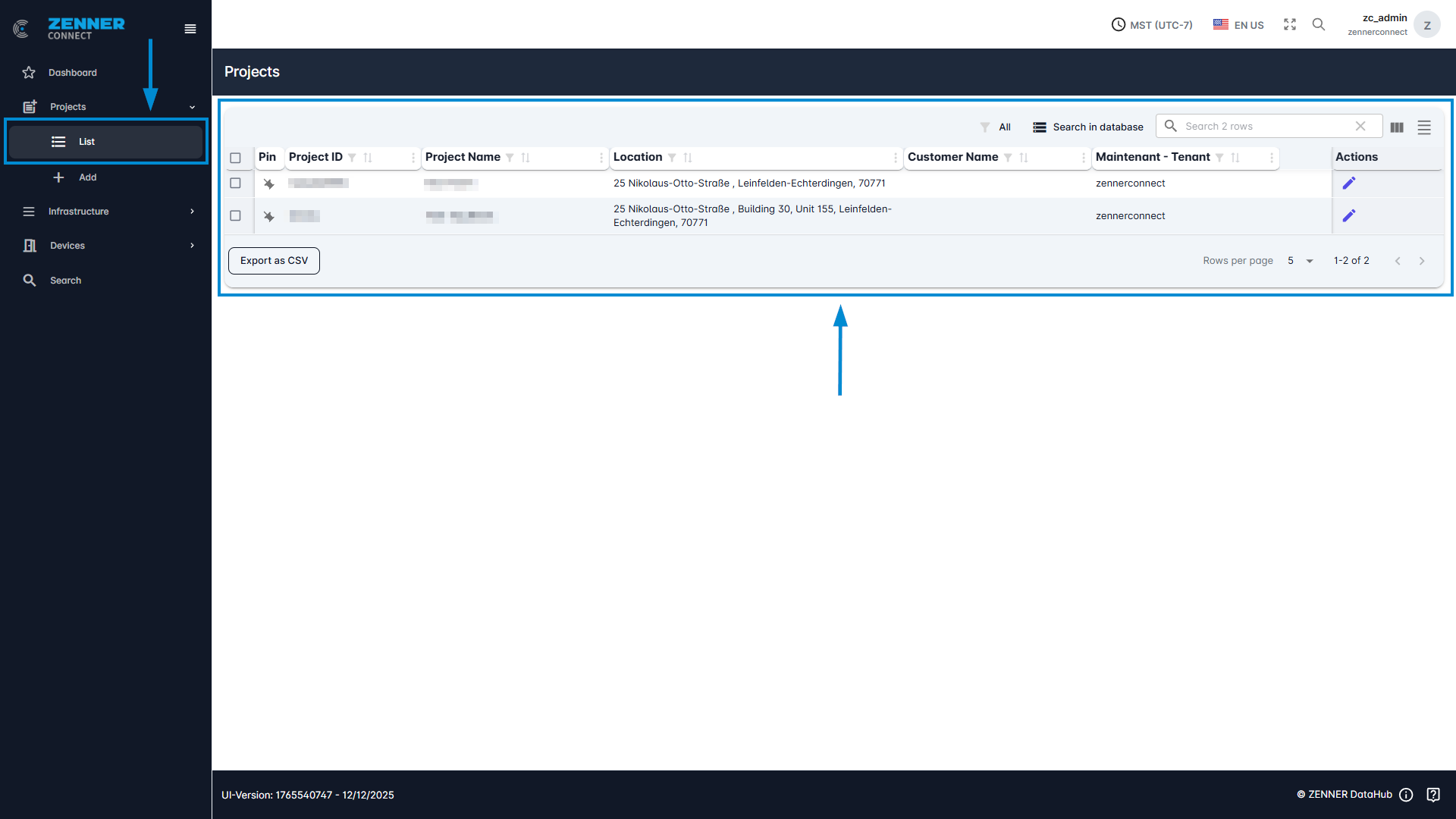
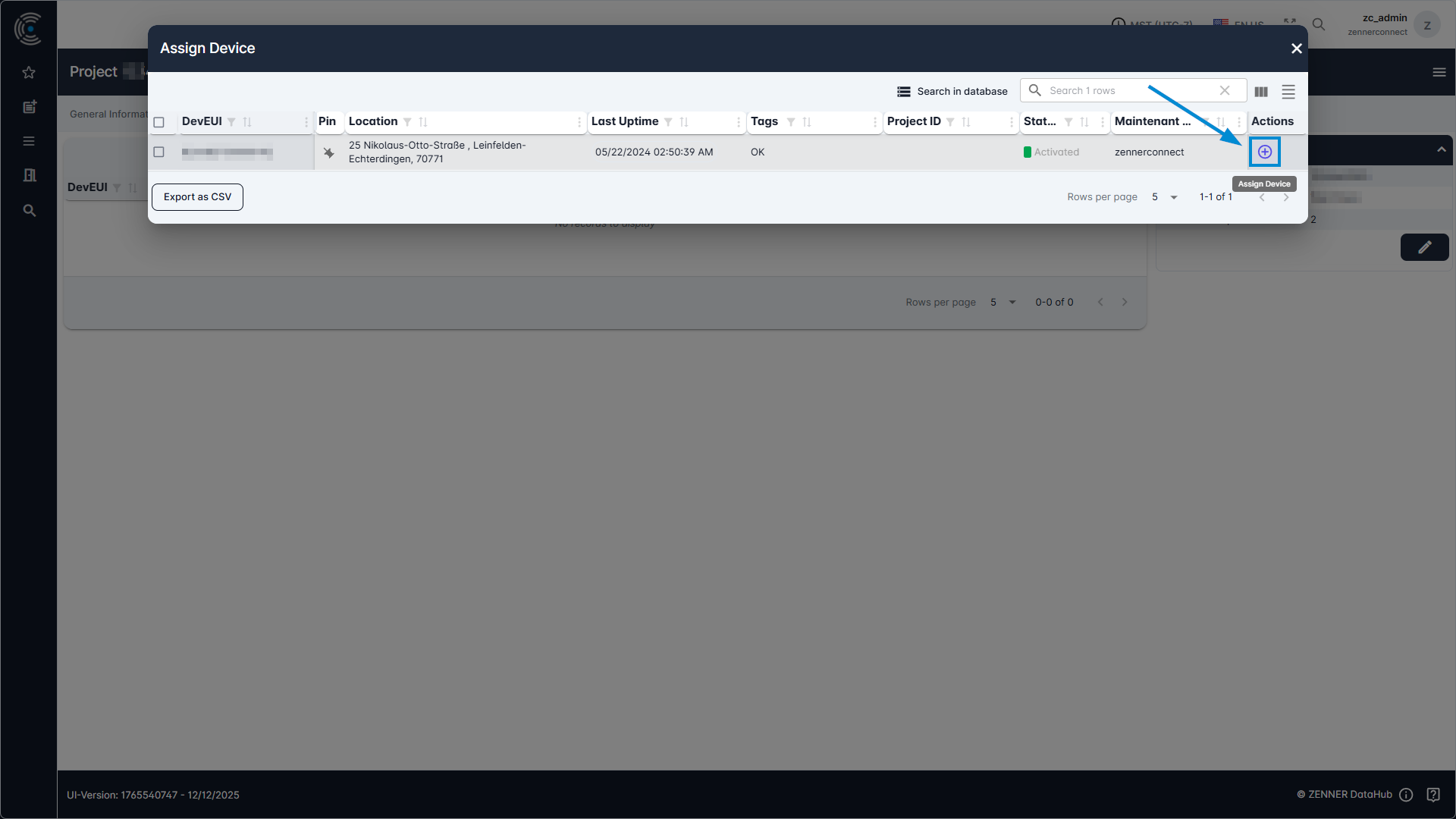
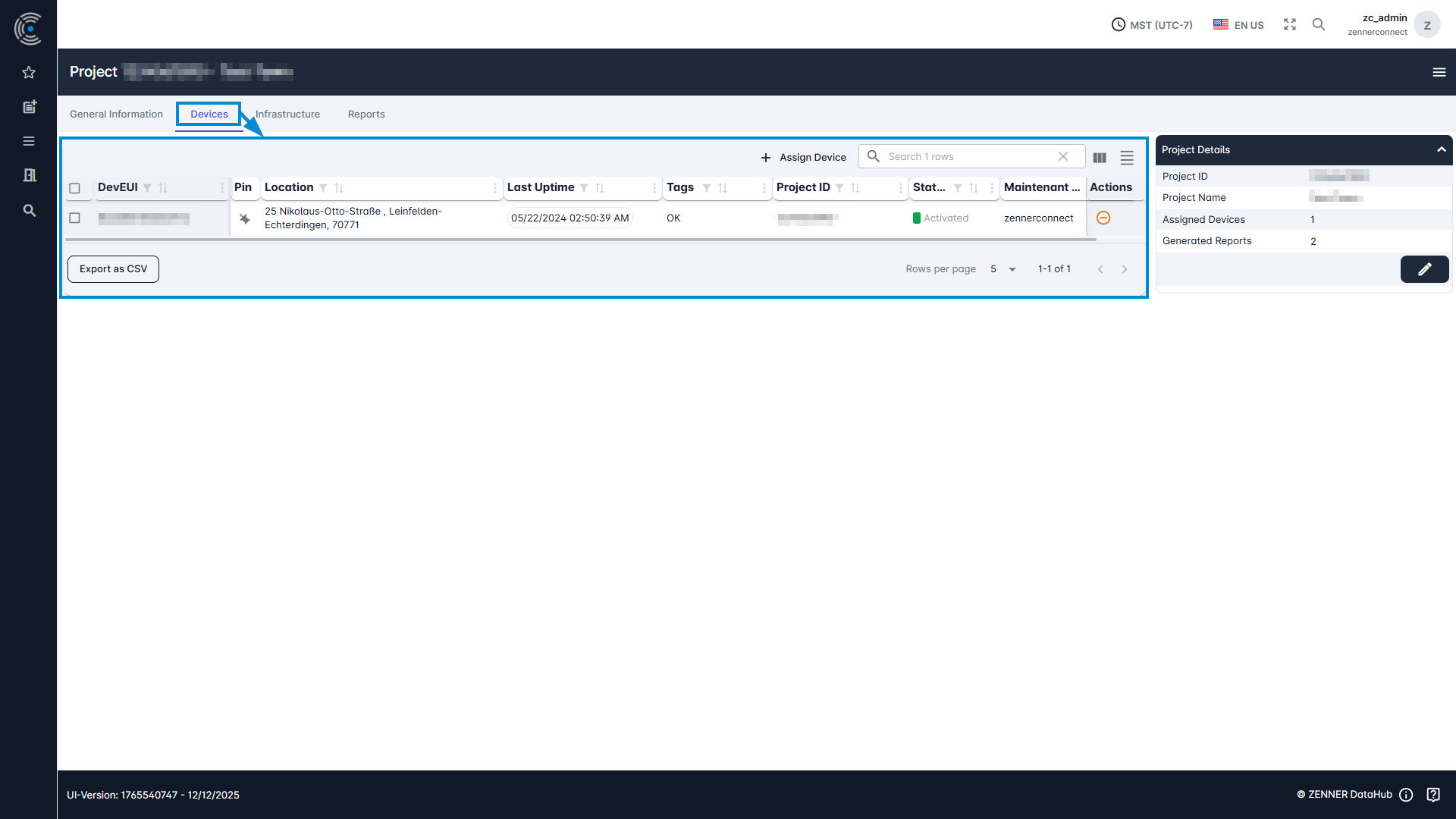
2nd option: Navigate to the project via the project list and then select “Assign Device” under “Devices” and select the devices to be added.
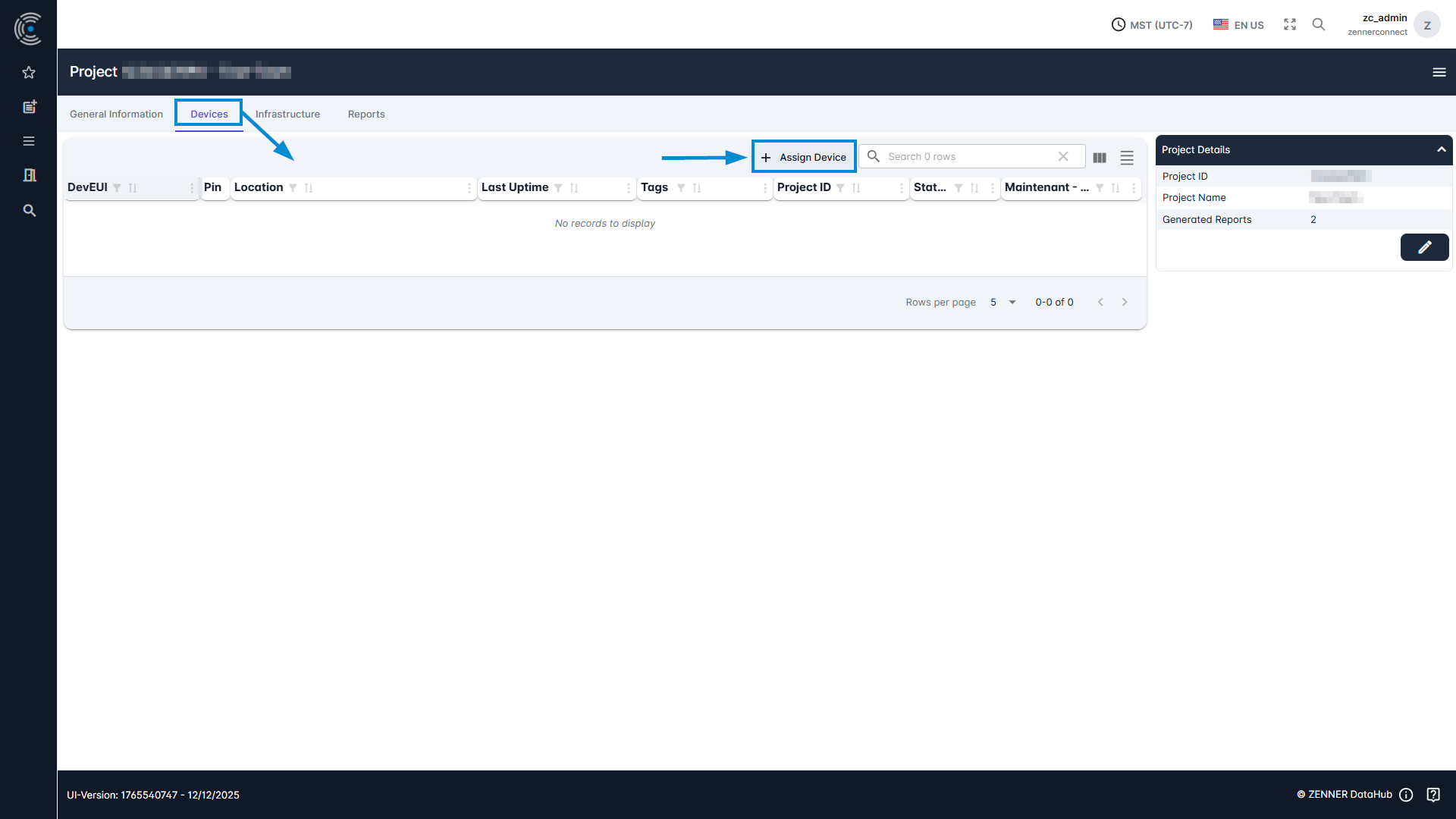
All devices already assigned to the relevant project are displayed here in the respective list.
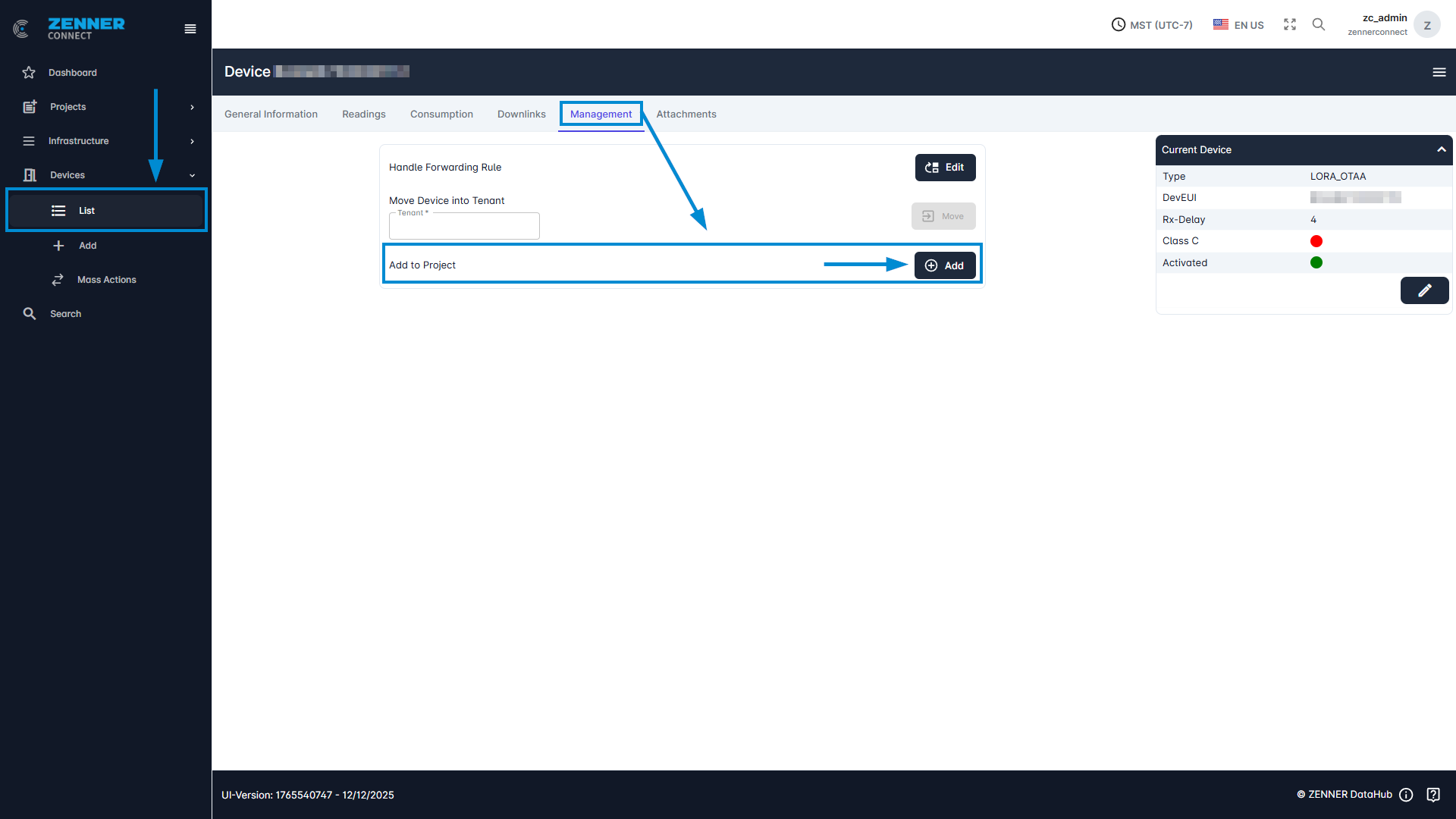
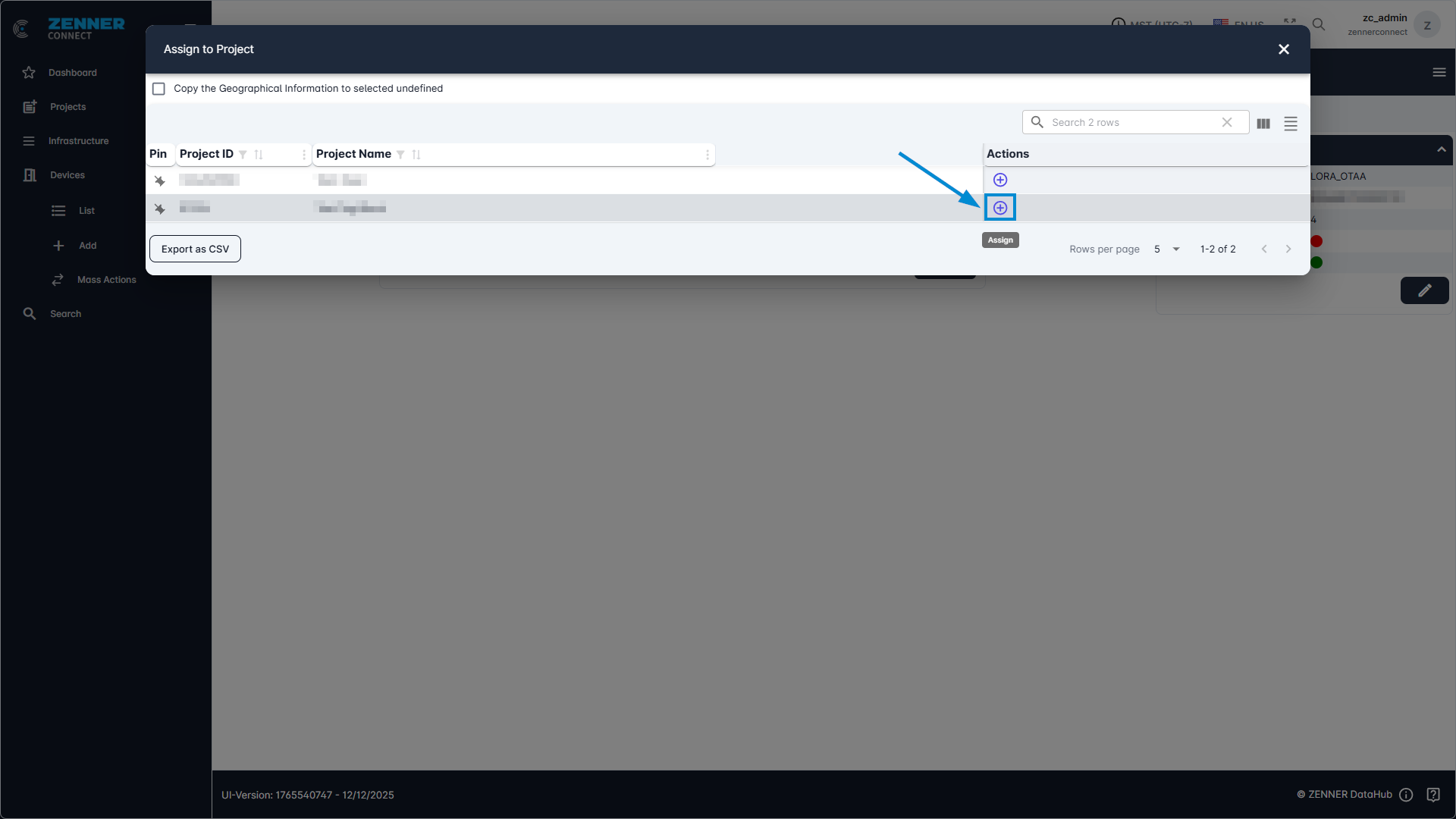
3rd option: Select the device from the Device list and click on it. Under the “Management” tab on the Device Page there is the “Add to Project” button, select the project there and then click on the “+” button under Actions. The device is now assigned to the project.
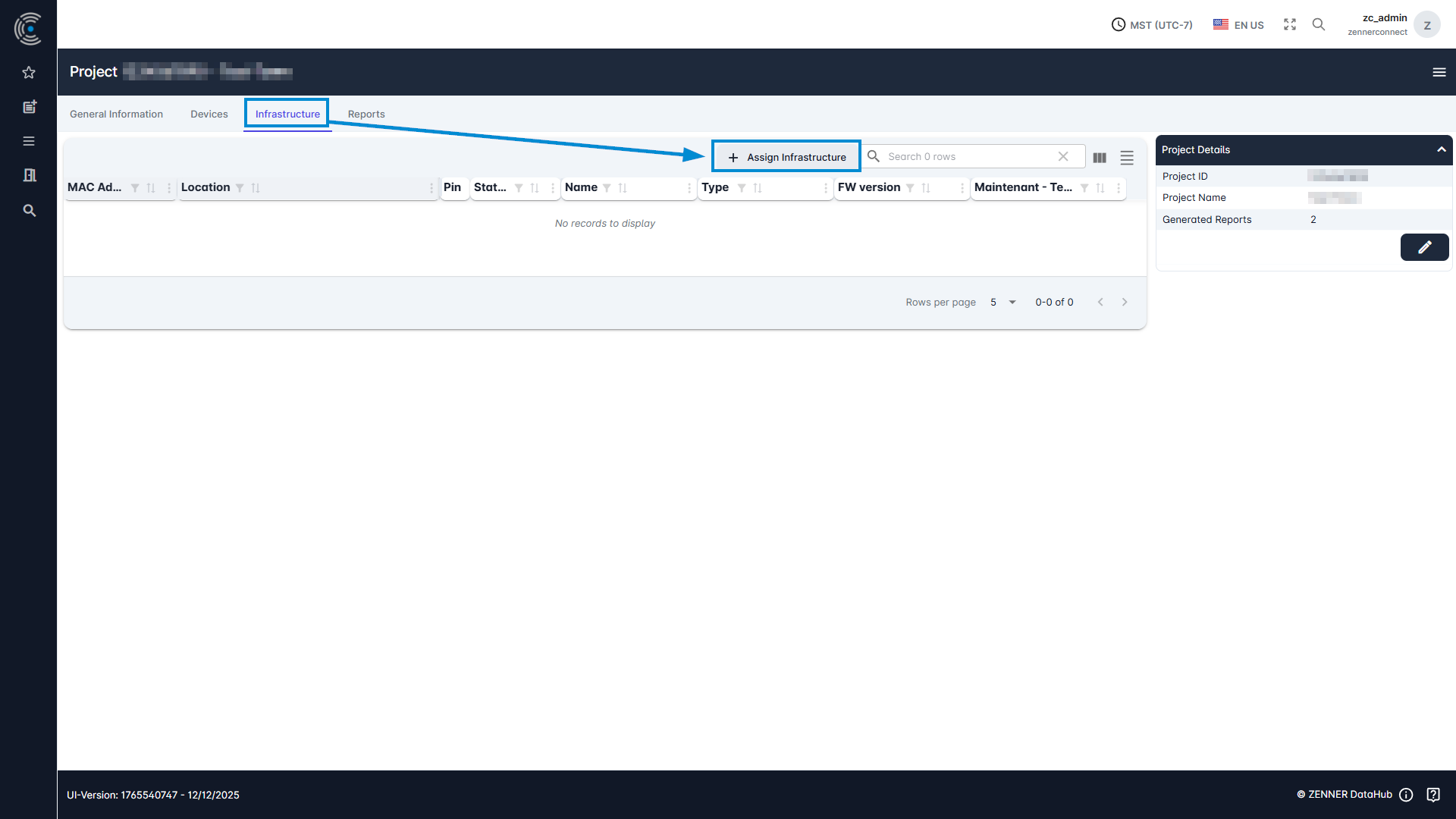
Assign Infrastructure to Project
To assign infrastructure to a project, like in most cases Gateways, follow simply the same steps as with devices (see above), with the only difference that you go in this case into the tab “Infrastructure” on the respective project page.